Set the AI Tutor allowance and limits
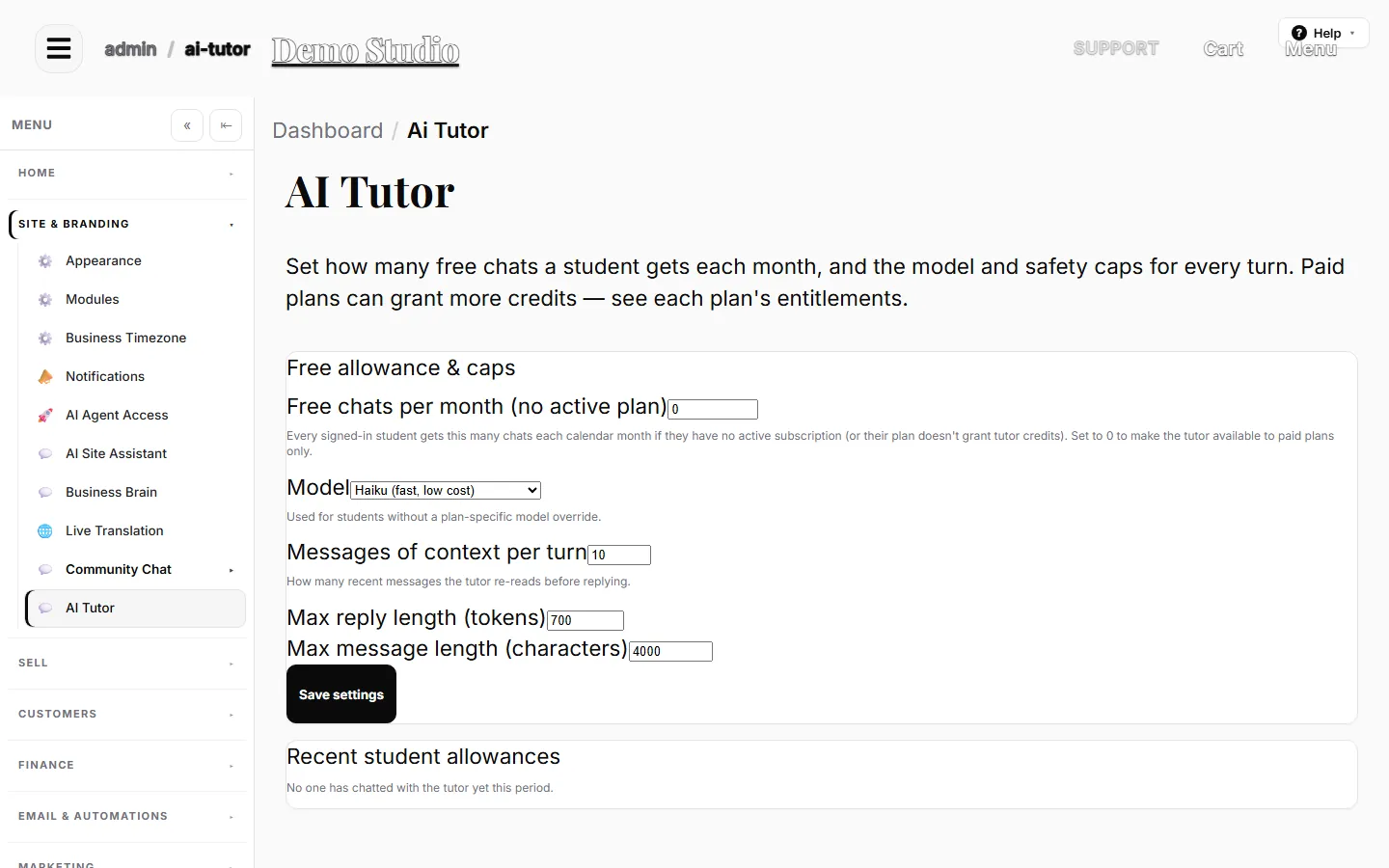
The AI Tutor page sets how many free tutor chats each signed-in student gets a month, which AI model answers, and the limits on every turn. It also shows how much students have used.
Where to find it: /admin/ai-tutor in your admin.
Shows up when the AI Tutor feature is turned on for your site.
Set the free allowance and limits
- Open Site & Branding → AI Tutor.
- Set Free chats per month (no active plan). Every signed-in student gets this many chats each calendar month. Set it to 0 to keep the tutor for paid plans only.
- Pick a Model: Haiku (fast, low cost) or Sonnet (stronger, higher cost).
- Set Messages of context per turn (1 to 50): how many recent messages the tutor re-reads before replying.
- Set Max reply length (tokens) (64 to 4096) and Max message length (characters) (100 to 20000).
- Click Save settings. You will see AI Tutor settings saved.
One student message uses one chat. Students use the tutor on your site at /tutor and must be signed in.
Check student usage
The Recent student allowances table shows each student's usage for the current period.
| Column | What it means |
|---|---|
| Student | The student's username. |
| Period | The month the allowance covers. |
| Used | Chats used so far this period. |
| Granted | Chats given for the period. |
| Remaining | Chats left this period. |
If no one has used the tutor yet, you will see No one has chatted with the tutor yet this period.
Questions
Why can't I save?
Each number has an allowed range. Check that every field is inside the range listed on this page.
Is there a limit on how fast students can send messages?
Yes. Students can send up to 15 messages per minute.
Which model should I pick?
Start with Haiku (fast, low cost). Switch to Sonnet (stronger, higher cost) if answers need more depth.