Set up tables, bottles and table packages
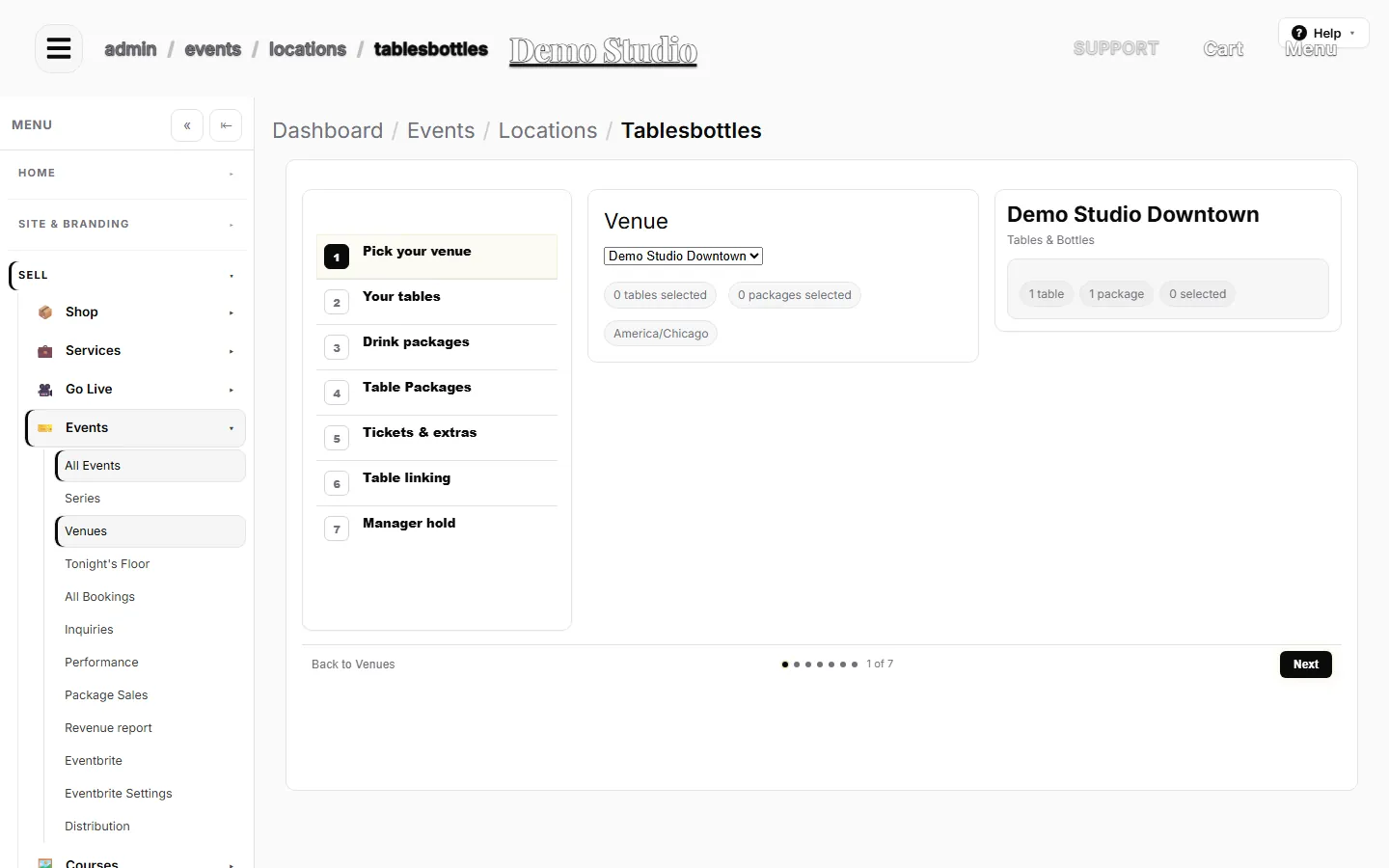
Tables & Bottles is a step-by-step setup for one venue: its tables, drink packages, table + bottle combos, hookah, tickets and add-ons, linked tables, and a quick manager hold. Open it from Events → Venues → Tables & Bottles.
Where to find it: /admin/events/locations/tablesbottles in your admin.
Shows up when the Events feature is turned on for your site.
Pick a venue and add tables
- Pick your venue from Venue, or open it from the Venues page with Manage.
- Click Next. On Your tables, click Add table.
- Enter a Name *, Seats and Price ($), and add Table photos if you like.
- Click Create table.
- Tick the tables that should be this venue's defaults.
To stop using a table, click Edit and set Status to Inactive.
Drink packages and table packages
- On Drink packages, click Add package, enter a Name * and Price ($) *, list What's included and Bottle choices, then click Create package.
- On Table Packages, click Add table package for a combo guests book as one unit, such as a table with 2 bottles.
- Enter a Name *, People (up to), Price ($) * and optionally Deposit to reserve ($) (optional). Pick an Included bottle package and click Create table package.
With a deposit, guests pay that amount now to hold the package and pay the rest at the venue. Leave it blank to charge the full price. Table package names must be unique. Table packages have no delete button. Set Status to Inactive to retire one.
Tickets, extras and table linking
- Tickets & extras sets venue defaults for hookah (Offer hookah at this venue), general admission (Sell tickets (no table required)) and add-ons.
- Table linking links a big table to the smaller tables it replaces. When one is booked, the others become unavailable. Pick the Parent (the big table) and Children, then click Save links.
- Go to the last step and click Save all defaults.
Hold a table for a guest
- On Manager hold, pick the Event and Table.
- Enter Party size, Payment method (Cash, Card or Comp), Amount paid ($) and the guest's details.
- Click Reserve table.
This creates a real reservation on that event. It records the payment you enter. It doesn't charge a card.
Questions
Do changes to venue defaults update events I already created?
Defaults are copied onto an event when it is saved with Same as usual. Edit existing events to change their tables and packages.
How do I remove a table?
Edit the table and set its Status to Inactive.