Create or edit an event
The event editor sets up a single night in five steps. Turn on repeat in step 1 to build a recurring series instead. The same editor is used to edit an event.
Where to find it: /admin/events/create in your admin.
Shows up when the Events feature is turned on for your site.
Before you start
Click + Create Event on the events list. The left rail shows Step N of 5. While you work, the editor keeps an unsaved copy in this browser ("Draft saved") until you create the event or click Cancel.
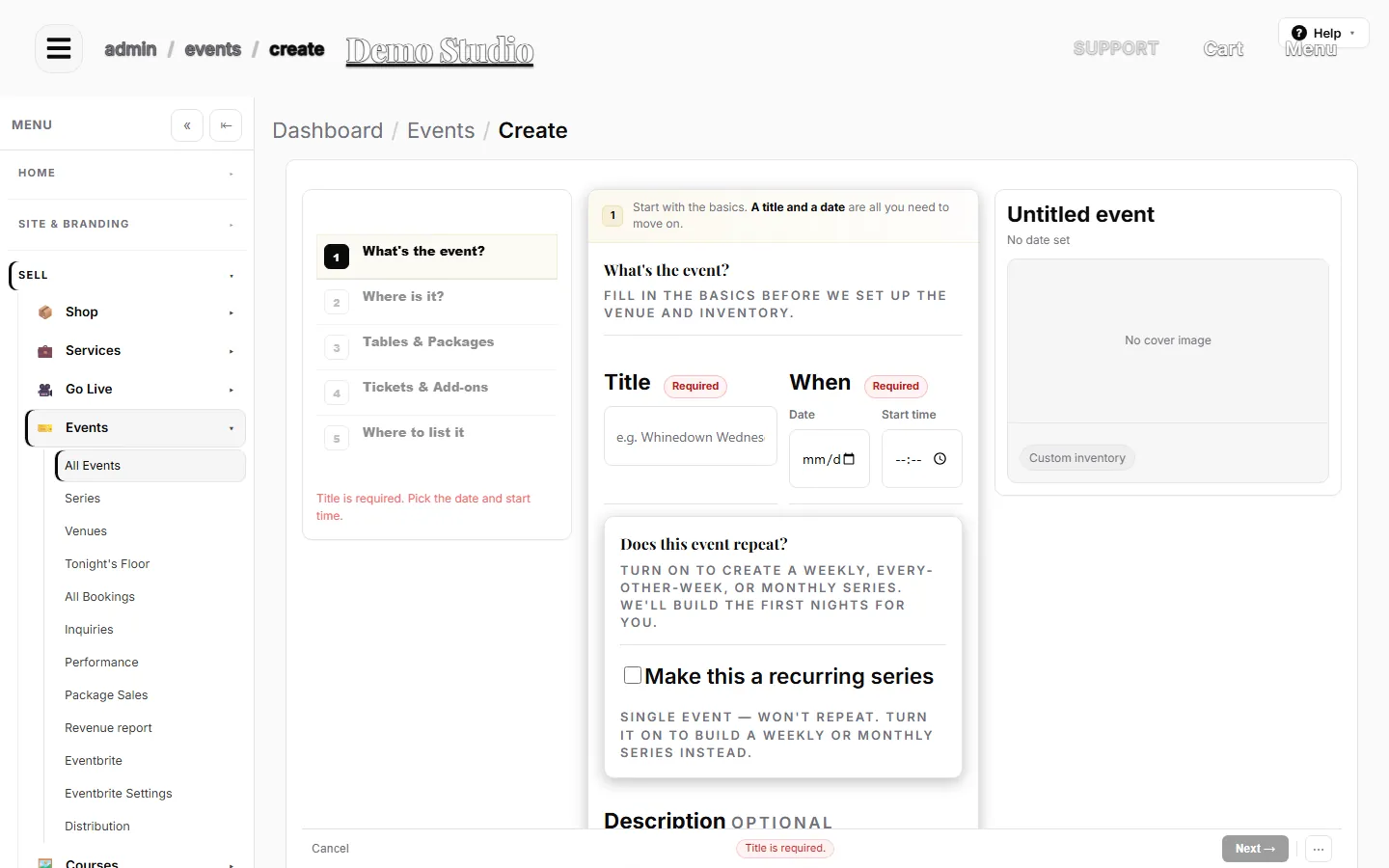
Steps 1 and 2: basics and venue
- In What's the event?, enter a Title and pick the Date and Start time.
- Optionally add a Description, a Cover image (optional) and an Event banner (horizontal, optional). Upload an image or paste a link.
- Click Next →.
- In Where is it?, pick a Venue, or type a Venue name to show (if not in your list).
- Optionally fill Dress code and ID requirement. Guests see these with their check-in code.
- Under Tables & bottles, pick Same as usual to use the venue's normal tables and bottles, or Pick for this night.
- Click Next →.
Changing the venue clears any tables and drink packages you picked. For single events, you can also tick Create a linked gallery album for this event. The album is private.
Step 3: Tables & Packages
If you picked Pick for this night, add tables and drink packages from the dropdowns. Tick any combo Packages to sell them, and set per-night values if you need to:
- Quantity (blank = unlimited)
- Price override ($, blank = catalog price)
- Deposit override ($, blank = package deposit, 0 = no deposit)
A deposit must be more than $0 and no more than the price. Only the package is a deposit. Bottles, add-ons and hookah picked on top are charged in full online, and the rest of the package price is paid at the venue.
Step 4: Tickets & Add-ons
- Tick Sell entry tickets and set Ticket price ($), Max tickets per purchase (default 10) and Total ticket capacity (blank is unlimited).
- Tick Offer hookah to set Price per hookah ($) and Flavors (comma-separated).
- Tick Enable add-ons and click Add add-on for extras, each with a Name and Price ($).
Values that came from the venue show a note. Changing them here changes this event only.
Step 5: Where to list it
Publish readiness checks for a cover image, a venue, something to sell, and a ticket price. Each item has Fix this. The checklist is advice only and doesn't stop you saving.
Fill in Listing info and Contact info shown to guests if you list on other sites. Ticking Eventbrite only saves your choice. To post the event, see Publish an event to Eventbrite.
- Click Create event.
- In the Event created card, click Copy link to share the event page.
A social post draft is also created. Nothing is posted until you approve it in Social Automation.
Ticket types and cover-charge rules
Both need a saved event. Open the event with Edit and go to step 4.
- Click + Add ticket type. Fill in Name, Price ($), Quantity total, Min per order, Max per order and Sort order.
- Set Sales start and Sales end. These use your own device's time zone, shown in the label.
- Set Visibility to Public, or Hidden (access code) with an Access code.
- Click Create type. Each ticket type saves on its own.
When an event has no ticket types, fans see the single Ticket price ($). A ticket type that has sales can't be deleted. Use Deactivate instead.
For a cover charge that changes through the night, click + Add rule under Dynamic cover-charge rules. Set the Type, After (min) from the start time, At capacity %, Audience, Price, Priority and Label, then click Save rules. The highest-priority match wins. With no match, the normal ticket price applies.
Questions
Can I create an event without publishing it?
No. Create event and Save as draft both put it on sale right away. Click Unpublish on the events list to hide it.
What time zone is the start time in?
The date and start time are saved as you type them, as local time at the venue.
Is there an end time or doors time for a single event?
No. Single events have a start time only. Use Open doors on the events list when the night starts.