Connect Eventbrite and auto-post your nights
Eventbrite Settings connects your Eventbrite account, brings Eventbrite ticket sales into your door list, and can list your recurring nights on Eventbrite automatically every day.
Where to find it: /admin/events/eventbrite/settings in your admin.
Shows up when the Events feature is turned on for your site.
Connect your account
- Log in at eventbrite.com with the login that runs your events.
- Open your Eventbrite API Keys page. If asked, fill in the short form with your website address.
- Copy your Private token.
- In your admin, open Events → Eventbrite Settings, paste the token and click Connect Eventbrite.
- If your login reaches several Eventbrite accounts, pick one and click Use this account. Nothing posts until you do.
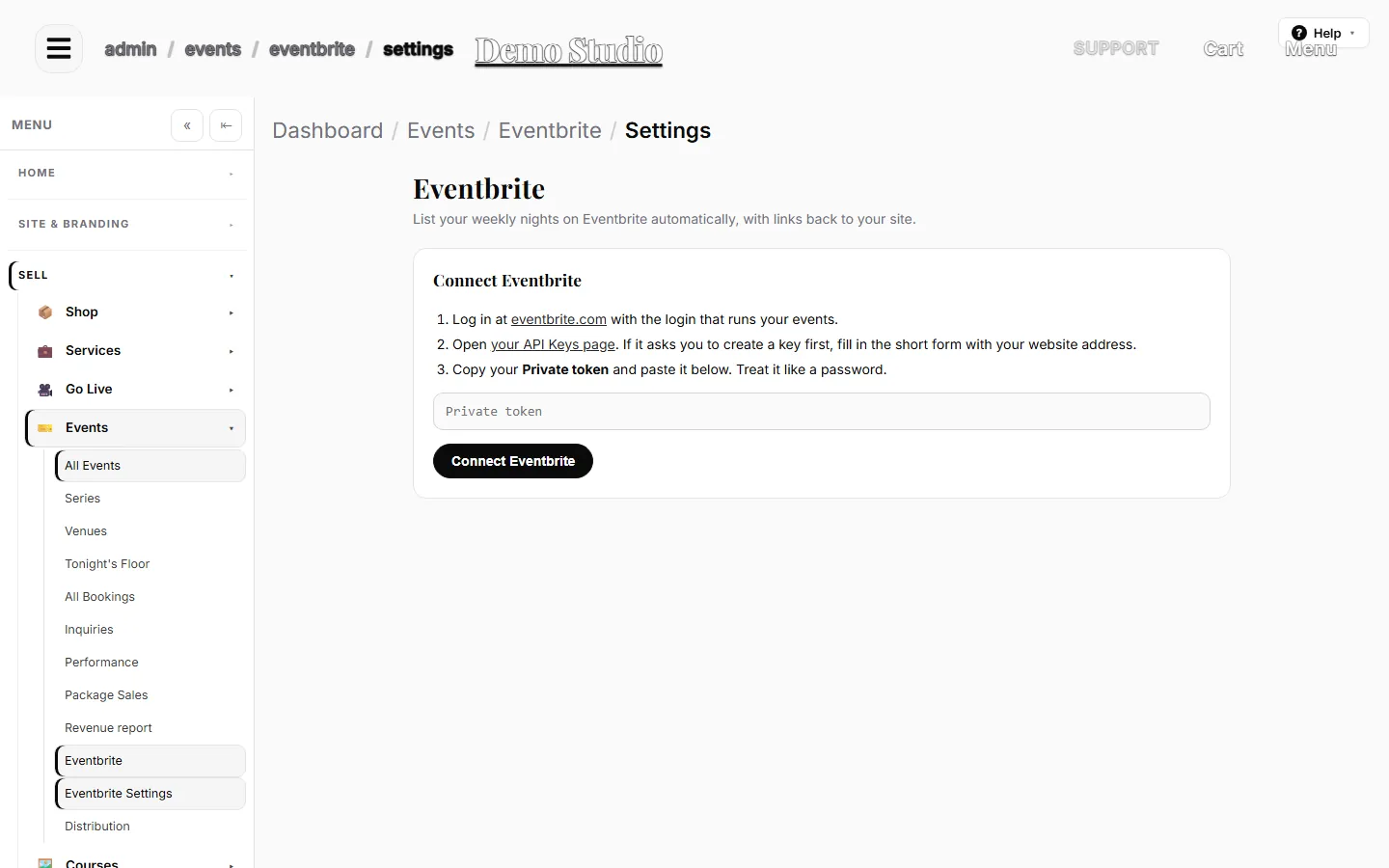
The Eventbrite login must have the admin or owner role on that account to post and sync.
Ticket sales and guest emails
- Click Turn on ticket sync. Eventbrite tickets then show on your door list with a QR code, and check-ins sync back.
- Give every Eventbrite buyer an account on your site creates an account for each new buyer.
- Email your tables to Eventbrite guests emails opted-in buyers about table and bottle packages, about 48 hours before the night.
Both only apply to orders that come in after you switch them on.
Auto-post weekly nights
- Tick Turn on auto-post.
- Under List nights, pick how many weeks ahead: 2, 4, 6 or 8.
- Under Which nights to post, tick the series to list. Fix anything marked Needs fixing.
- Click Preview to see what would happen. Preview posts nothing.
- Click Save.
Each listing gets the title, date and time, venue, flyer, a description with links back to your site, and one ticket type at your site's general admission price. If your site doesn't sell tickets, it is listed as a free RSVP. Up to 20 new listings are made per day. The rest show Waiting for tomorrow.
What each night status means
| Status | What it means |
|---|---|
| On Eventbrite | Listed and up to date. |
| Posts next run | Will be listed on the next daily run. |
| Finishing | Partly posted. The next run finishes it. |
| Listed by hand | Already on Eventbrite another way. Auto-post leaves it alone. |
| Needs fixing | Missing something, such as a flyer image or the venue's street address and city. |
| Failed | The last try didn't work. |
Questions
Does Eventbrite connect with a sign-in button?
No. You paste a private token from your Eventbrite API Keys page.
How do I stop posting to Eventbrite?
Untick auto-post and save, or click Disconnect. Disconnecting stops auto-posting until you connect again.
Which nights can be auto-posted?
Nights from recurring series. A night needs a title, date, a venue with a street address and city, and a flyer image.