Invite staff to your admin
Invite a marketer, manager or helper to your admin with their own login. They get an email, choose their own password, and only see the areas their role allows. You never share your password.
Where to find it: /admin/people in your admin.
Send an invite
Only the site owner or an admin can send invites.
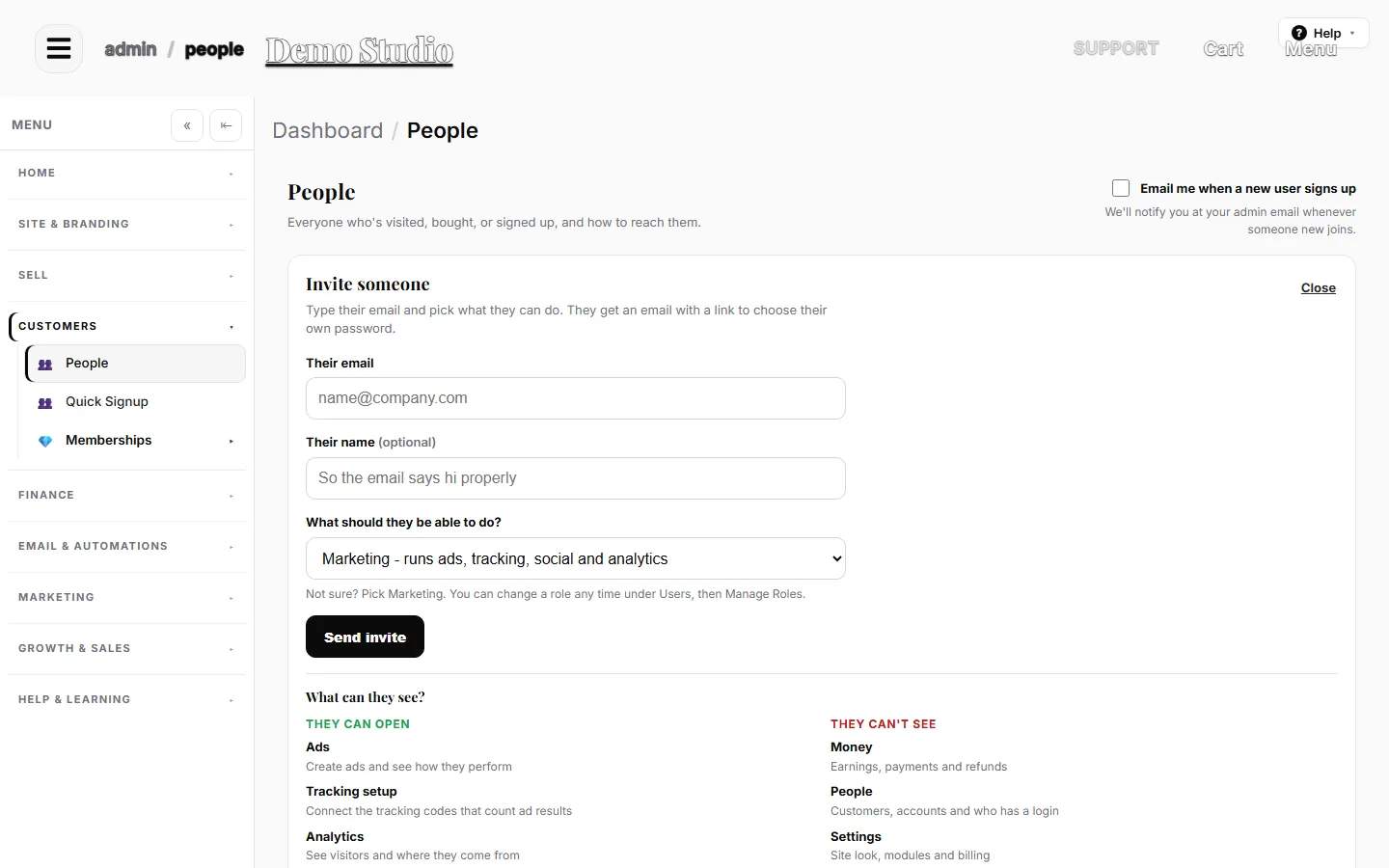
- Go to Customers → People.
- On the card "Hiring a marketer or a helper?", click Invite someone.
- Type the person's address in Their email, for example jordan@example.com.
- Optionally add Their name (optional) so the email greets them by name.
- Pick a role in What should they be able to do?.
- Check the What can they see? box. It lists what they can open and what they can't see.
- Click Send invite.
When it works you'll see "Invite sent to" followed by their email. If the account was set up but the email did not go out, use Resend invite in the list below.
Pick the right role
The role dropdown starts with two ready-made roles, followed by any roles you created yourself.
| Role | What the invite form says it covers |
|---|---|
| Marketing | Runs ads, tracking, social and analytics |
| Manager | Runs events, the floor, promoters, shop and bookings |
| Your own roles | Whatever areas you ticked for that role. A role shown with "(no back-office access)" is only a job title and gives no admin access. |
Resend or withdraw an invite
Everyone you invited shows under Waiting on until they sign in.
- Resend invite sends a fresh link. The old link stops working.
- Withdraw invite cancels the invite. Confirm with Yes, withdraw, or click Keep it to leave it alone. Withdrawing turns off the account that was set up for them.
Once someone has joined, you can't withdraw their invite. To remove their access, turn off their login on the Accounts & staff tab. See Manage accounts and staff logins.
Questions
It says "That person already has an account or an invite." What now?
Their email is already on your site. Find them on the Accounts & staff tab and give them a Staff Role there instead.
Is there a limit on invites?
Yes. You can send about 20 invites an hour, and your site about 60 a day. If you hit the limit, wait and try again later.
The panel says it needs a one-time database update. What do I do?
Invites are not switched on for your site yet. Ask your platform admin to finish the setup.
Can staff with the Users & roles permission send invites?
No. Only the owner or an admin can invite people.
Should I use + Create User instead?
No. Use Invite someone. The person chooses their own password and you never handle it.