Create and edit membership tiers
Membership tiers are the paid levels fans can join, such as Bronze or Gold. Each tier has a name, a price, a billing interval and a list of perks. Create and edit them in the tier editor.
Where to find it: /admin/subscriptions/tiers in your admin.
Shows up when the Memberships feature is turned on for your site.
Find your tiers
Go to Customers → Memberships → Tiers. The Subscription Tiers page lists every tier with its price, interval, description and status. You can search, filter by status and sort the list.
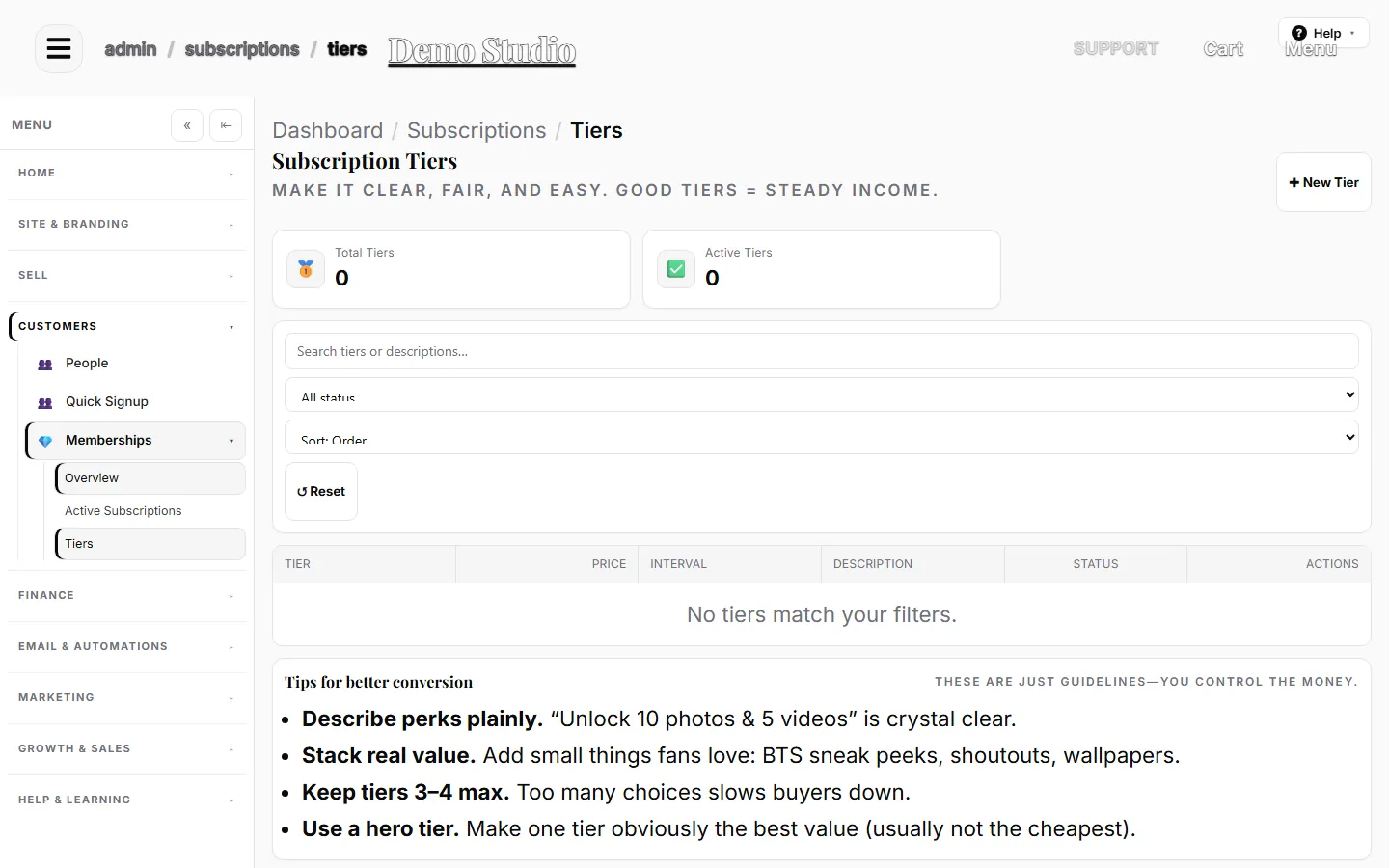
The Memberships pages only show when memberships are switched on for your site.
Create a tier
- On the Tiers page, click ✚ New Tier.
- Type a Display Name that fans will see, such as Gold. It needs at least 3 characters.
- Type a Code, a short unique name such as gold. It needs at least 2 characters.
- Enter the Price in dollars and pick the Billing Interval: month or year.
- In Description, put each perk on its own line starting with "-". Each line becomes a bullet on the tier card.
- Tick Active (Enabled) so fans can see and buy it. New tiers start inactive.
- Click 💾 Save.
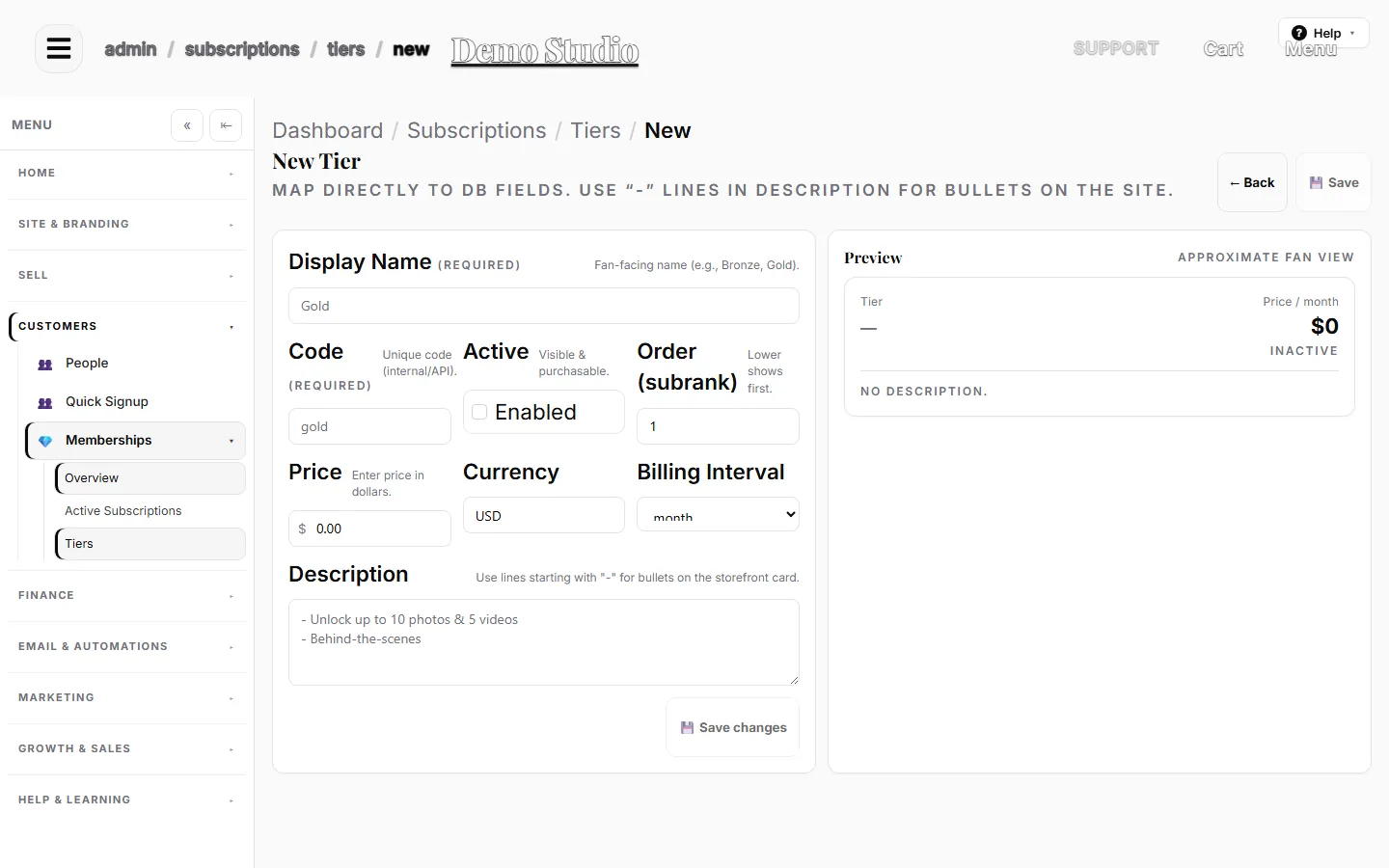
You'll see "Tier created." and the page reopens on your new tier. Save stays greyed out until the name, code, price and interval are filled in correctly.
Edit a tier
- On the Tiers page, click the pencil icon on the tier's row. The page is titled Edit Tier followed by the tier name.
- Change the fields you need. Order (subrank) sets the order on your site: lower numbers show first.
- Click 💾 Save or 💾 Save changes.
The Preview pane shows roughly what fans will see. It rounds the price to whole dollars, but the saved price keeps the cents.
Stop selling a tier
To stop selling a tier, untick Active in the editor and save. Fans can no longer buy it.
Questions
I get "Failed to save tier." What's wrong?
The most common cause is a Code that another tier already uses. Pick a different code and save again.
Can I copy an existing tier?
Yes. On the Memberships Overview, the copy icon in Your Tiers makes an inactive copy and shows "Tier duplicated." Open the copy to change it.
Where do I cancel or comp a member?
On the People page, Accounts & staff tab, using the Subscription dropdown. See Manage accounts and staff logins.