Track members and subscriptions
The Memberships Overview and Active Subscriptions pages show how your memberships are doing: who is subscribed, what renews soon, and how much they bring in. Both pages are for reading. Changes to a member are made elsewhere.
Where to find it: /admin/subscriptions in your admin.
Shows up when the Memberships feature is turned on for your site.
Read the Overview
Go to Customers → Memberships → Overview. The Subscriptions Dashboard opens with these cards:
- Active Subscribers, with the change over the last 30 days.
- MRR, your monthly recurring revenue, with the average per subscriber.
- Lifetime Sub Revenue, everything paid for memberships so far.
- Expiring (14d), members whose membership renews or ends in the next 14 days.
- Churn (30d), how many members left in the last 30 days.
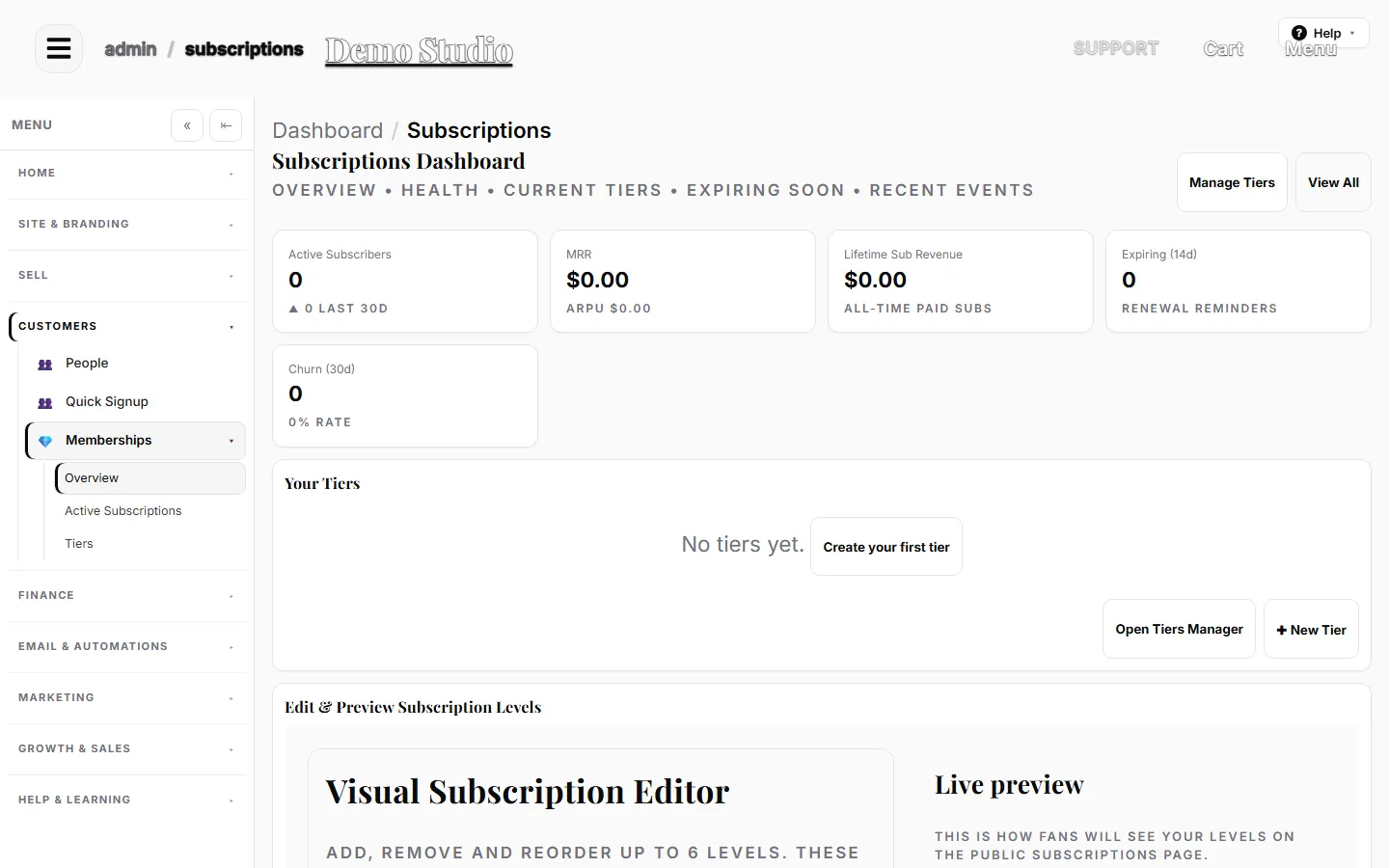
Further down are Your Tiers, a sample of Current Active members, Needs Renewal Soon (≤ 14 days) and Recent Subscription Events. Use the quick filter buttons All Active, Expiring 14d and Canceled to switch the sample, and ↺ Reset to clear it.
See every subscription
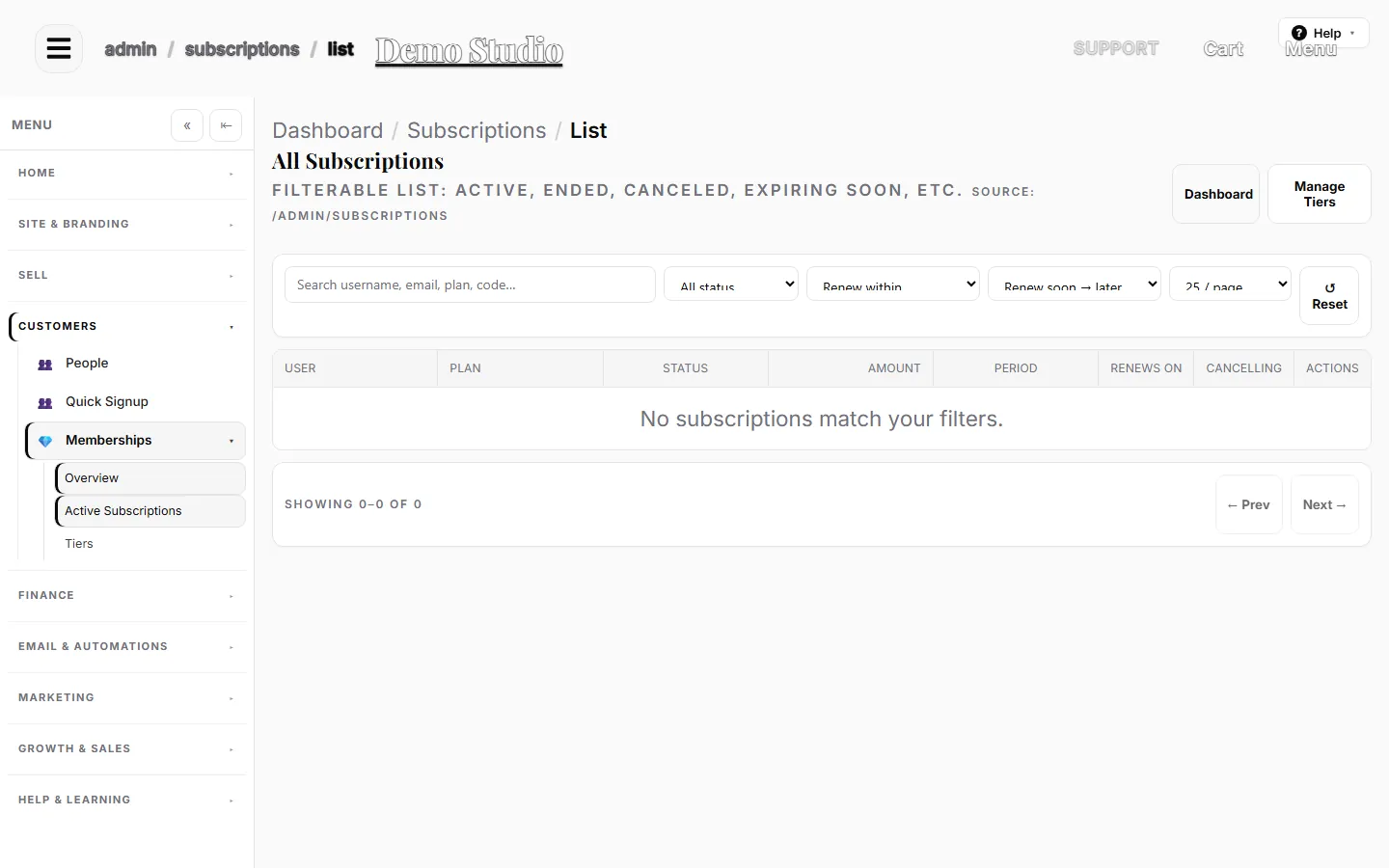
Go to Customers → Memberships → Active Subscriptions. The All Subscriptions page lists every subscription with the plan, status, amount, period, renewal date and whether it is cancelling.
- Search by username, email, plan or code.
- Pick a status, or a Renew within… window of 7, 14 or 30 days.
- Choose a sort order and how many rows per page.
- Click View on a row to open that customer's page.
| Status | What it means |
|---|---|
| Active | The member is subscribed and paid up. |
| Trialing | The member is in a free trial. |
| Past Due | A renewal payment did not go through. |
| Canceled | The membership was cancelled. |
| Ended | The membership period is over. |
Cancel or give a free membership
These pages have no cancel, refund or change-plan buttons. To cancel a member or give one a free plan, use the Subscription dropdown on the People page's Accounts & staff tab.
Questions
Can I edit the numbers on the Overview?
No. MRR, Lifetime Sub Revenue and the other cards are worked out from your real subscriptions.
What does the person icon on a member row do?
It opens that member's public profile page.