Add and manage property listings
Properties holds every listing you have. Create a listing, add photos, amenities and open houses, publish it to your site, and move it through statuses like Pending and Sold.
Where to find it: /admin/real-estate/properties in your admin.
Shows up when the Real Estate feature is turned on for your site.
Create a listing
- Open Real Estate → Properties and click + Add Property.
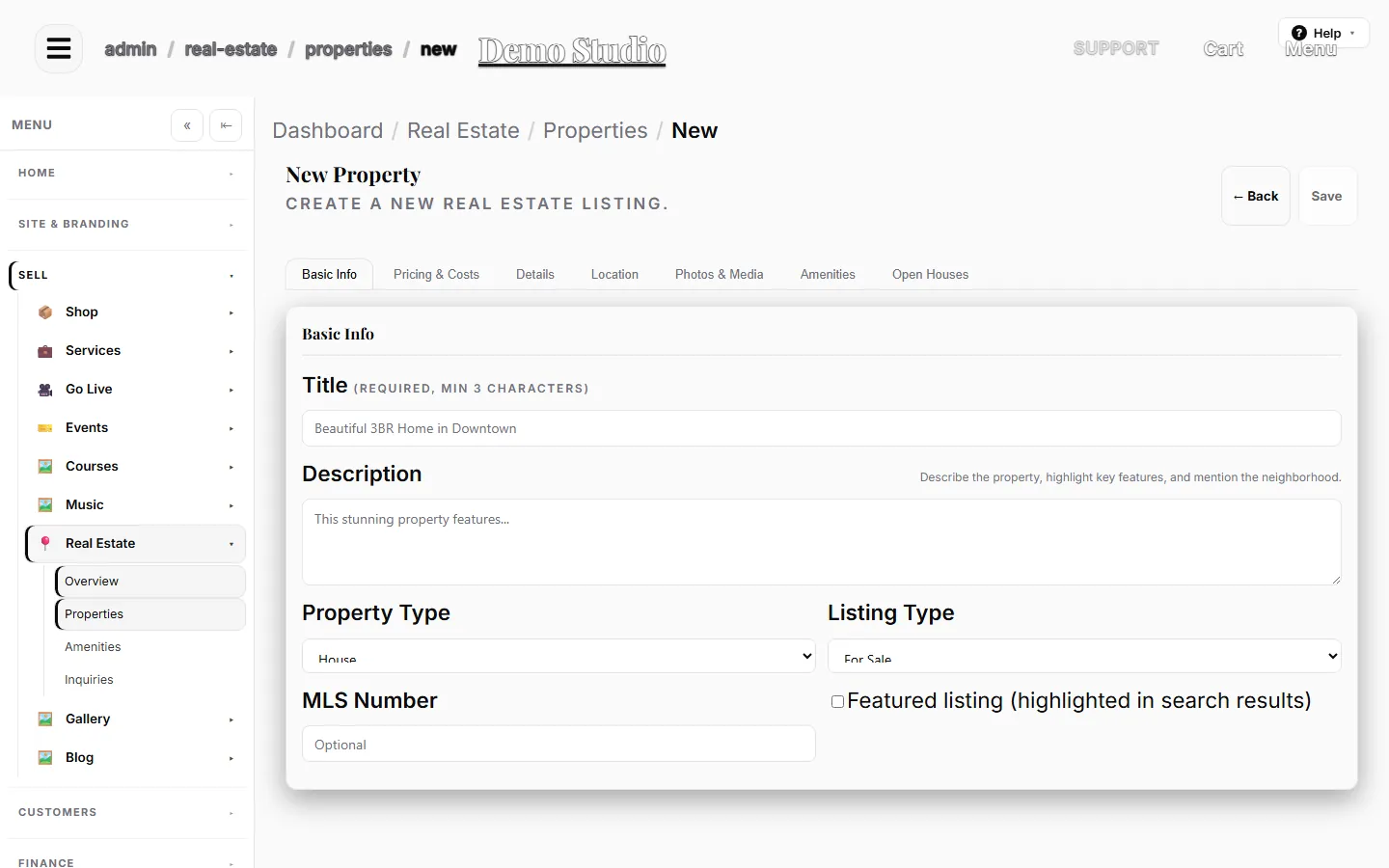
- On Basic Info, enter a Title (at least 3 characters), a Description, the Property Type and the Listing Type.
- On Pricing & Costs, enter Price (USD) in whole dollars, plus HOA Fee (Monthly) and Annual Property Tax if they apply. Rentals also get a Price Period.
- Fill in Details (bedrooms, bathrooms, size, year built, tour and video links) and Location.
- Click Save. The listing is created as a Draft and the page becomes Edit Property.
Photos, amenities and open houses
These tabs work after the first save.
- Photos & Media: drop photos or click to upload. Pick a room and type a caption under each one. These save as you change them. Click Set Hero on the main photo.
- Amenities: tick the features this property has, or add a new one with Add. Then click Save.
- Open Houses: set Start Date & Time and End Date & Time, add an optional description, tick This is a virtual open house for an online one, then click Schedule Open House. It saves right away.
Photos and videos can be up to 250 MB each, as JPG, PNG, HEIC, GIF or WEBP photos, or MOV, MP4, M4V, WEBM, AVI or MKV videos. If a photo doesn't appear after upload, check its size and type. Open houses drop off once they've ended.
Publish and change status
On the listing, click Publish to make a draft Active, or Archive to take an active listing down. On the Properties list, each card has a Status... menu that saves right away with no confirm step.
| Status | What it means |
|---|---|
| Draft | Not shown in your public listings. |
| Active | Live in your public listings. |
| Pending | Marked pending. Hidden from your public listings. |
| Under Contract | Marked under contract. Hidden from your public listings. |
| Sold or Rented | Marked sold or rented. Hidden from your public listings. |
| Archived | Put away. Bring it back with Reactivate or Move to Draft. |
To change many at once, tick the cards (or Select all for the current page) and click Publish, Archive or Move to Draft. MLS feed listings are skipped.
Duplicate or delete
- Duplicate makes a draft copy titled "(Copy)" with the same details and amenities. Photos and open houses are not copied.
- Delete on the edit page removes the listing from your site. It asks you to confirm and there is no restore button.
Questions
Do status changes email anyone?
No. Changing a listing's status or saving it sends no emails.
Why can't I edit some listings?
Listings marked MLS Feed come from your MLS feed and are read-only. Duplicate one to make an editable copy.