Real estate overview and MLS sync
The Real Estate Dashboard sums up your property listings and leads on one screen. If an MLS feed is set up for your site, you can also refresh feed listings from here.
Where to find it: /admin/real-estate in your admin.
Shows up when the Real Estate feature is turned on for your site.
Read your numbers
Open Real Estate → Overview.
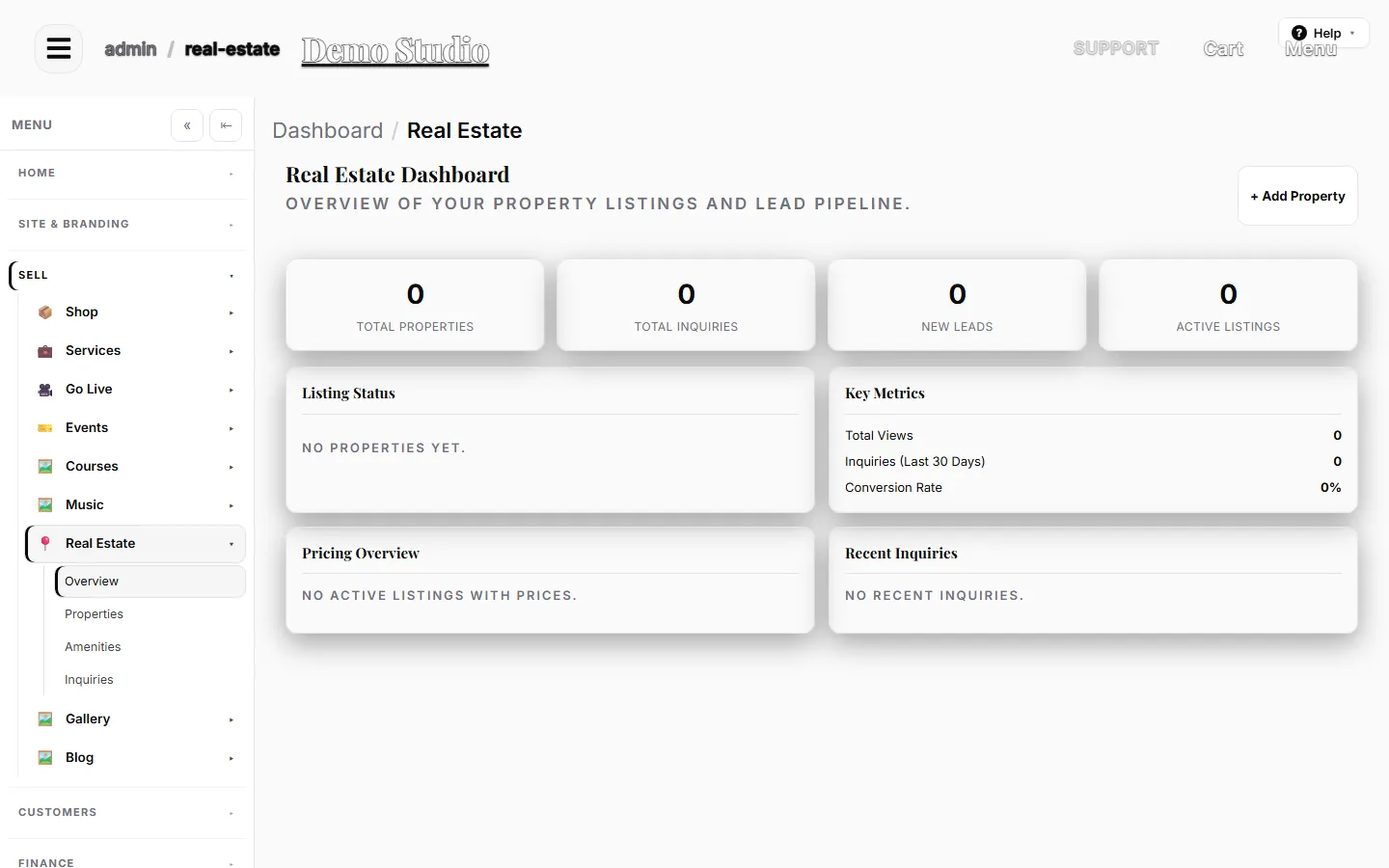
| Card | What it counts |
|---|---|
| Total Properties | Every listing that hasn't been deleted, drafts included. |
| Total Inquiries | Every lead from your listing contact forms. |
| New Leads | Leads still marked New. |
| Active Listings | Listings that are live on your site. |
| Total Views | Times people opened your public listing pages. |
| Conversion Rate | The share of leads you marked Closed. |
| Pricing Overview | Average, lowest and highest price of active listings with a price. |
Recent Inquiries shows your latest 5 leads with the start of their message. Click + Add Property to start a new listing.
When a lead comes in
When someone sends the contact form on a listing, your admins get a bell notification and an email with the lead's name, email, phone, preferred contact, pre-approval, budget and message. These alerts can't be switched off in notification settings. The person who asked is not sent an automatic reply.
Sync your MLS feed
If your site has an MLS feed, the MLS Listing Feed card shows the Provider, whether the Feed is enabled, and the Last Sync.
- Click Sync listings now.
- Read the result. It says how many listings were new, updated and removed.
New feed listings are added, existing ones are updated, and feed listings that left the feed are removed from your site. Listings you added yourself are never touched. There is no feed setup screen in your admin.
Questions
Can I edit a listing that came from the MLS feed?
No. Feed listings are read-only because the next sync would overwrite your changes. Click Duplicate on the Properties list to make an editable copy.