Organize products into categories
Categories group the products in your shop. You can nest categories under a parent, give each one a cover image, and turn a category into a timed drop whose products can't be bought until a release time.
Where to find it: /admin/shop/categories in your admin.
Shows up when the Shop feature is turned on for your site.
See your categories
Open Sell → Shop → Categories. The top shows Total nodes, Top level, Children and Active. Use Search to find a category by name, slug or description.
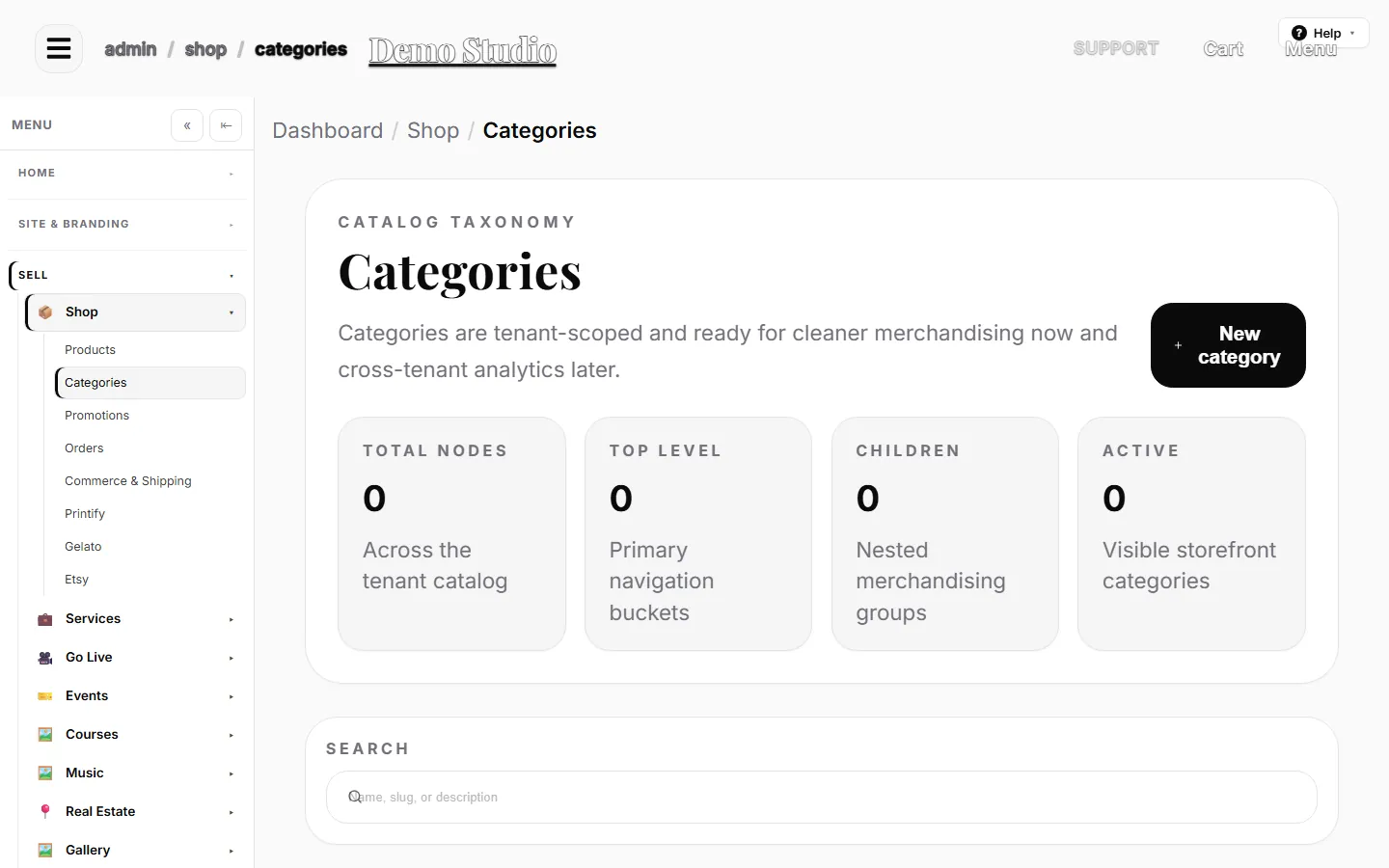
Each row says whether it's a Top level or Child category, shows its description, and has an active or inactive badge. Drops show Drop · date, or Released once the time has passed.
Create or edit a category
- Click New category.
- Enter a Name. This is the only required field.
- Optionally fill in Slug, Parent category, Sort weight and Description.
- Add a Cover image (desktop), and a Phone image (portrait) if you want a different crop on phones. Paste an image link or click Upload.
- Leave Category is active ticked so the category shows in your shop.
- Click Create category.
To change a category, click Edit on its row, make your changes, and click Save category.
- Leave Slug empty and one is made from the name for you. If you type your own, check it isn't already used.
- Categories with a higher Sort weight are listed first, then by name.
- When you pick a Parent category, don't choose one of the category's own children.
- If the phone image field is greyed out with a note about a database update, phones crop the desktop image for now.
Make a timed drop
A drop shows its products as coming soon and stops anyone buying them until the release time.
- Open the category with Edit.
- Set Drop release to a future date and time. Times are in your own time zone, which the help text names.
- Click Save category.
To turn a drop back into an ordinary category, click Clear next to Drop release and save.
Delete a category
- Click Delete on the row.
- Confirm the prompt.
You can't delete a category while products still use it. You'll see Category is still assigned to products. Move those products to another category first.
Questions
Does changing a category's slug keep old links working?
No. Old links to a category don't redirect when you change its slug. Product links do. Pick category slugs before you share them.
Why doesn't an inactive category show in my shop?
Only categories with Category is active ticked are listed in your shop.