See and refund tips
The Tips page shows who tipped you, how much, and where the tip came from. Use it to thank fans and, when needed, refund a tip.
Where to find it: /admin/tips in your admin.
Shows up when the Tips feature is turned on for your site.
See your tips
Go to Finance → Tips. The page only shows when tips are switched on for your site.
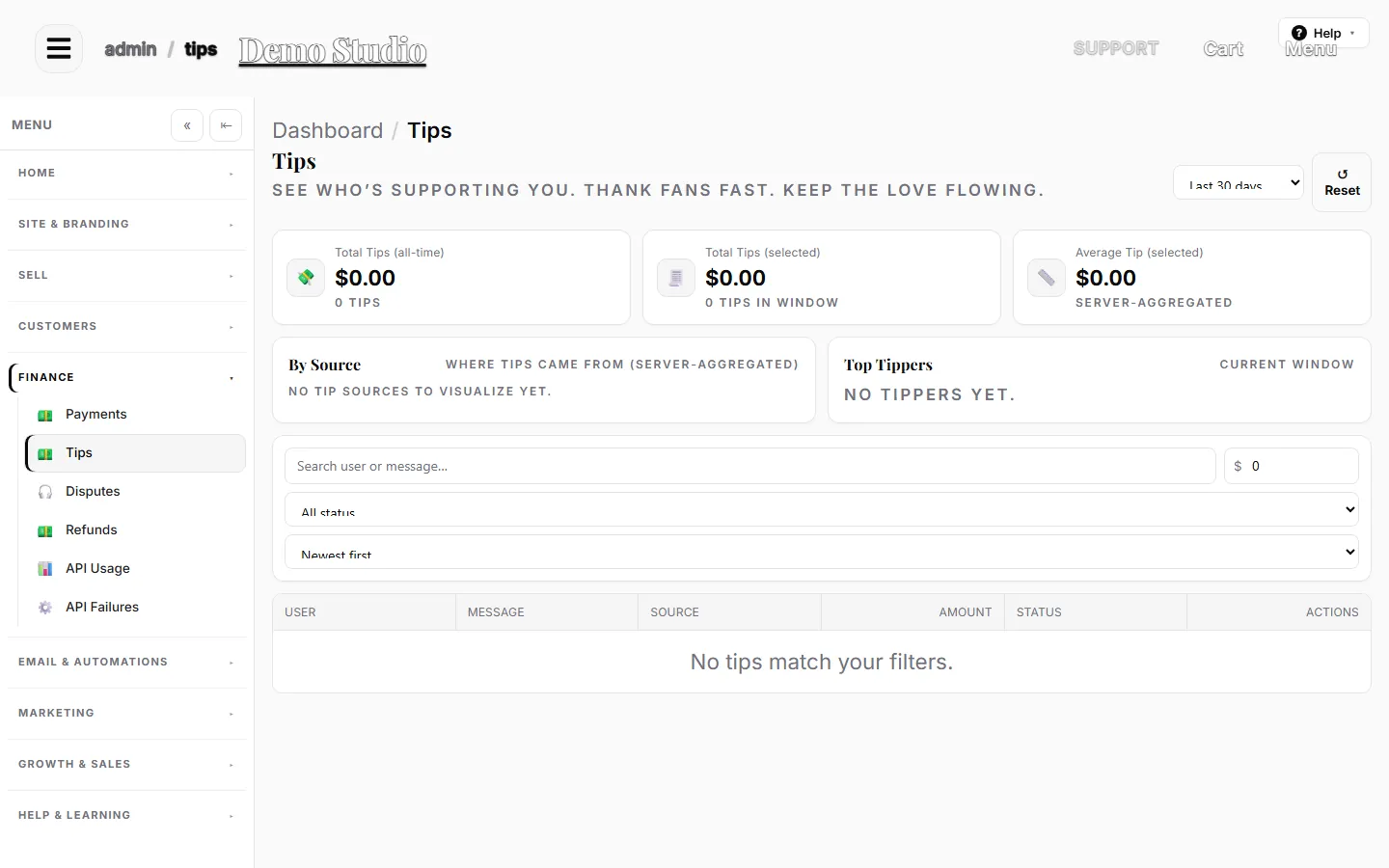
- Pick a range: Last 7 days, Last 30 days, Last 90 days, Year to date or All time.
- The cards show Total Tips (all-time), Total Tips (selected) and Average Tip (selected).
- By Source shows where tips came from. Top Tippers shows your biggest supporters in the range.
- Filter the table by text, a minimum amount or status, and sort by newest, highest or name.
| Status | What it means |
|---|---|
| Settled | The tip was paid. |
| Pending | The payment hasn't finished going through. |
| Refunded | The tip was refunded in full. |
| Unknown | Your site has no status on record for this tip. |
Thank a fan
Click 🙏 Thank on a row. Your own email app opens with a short thank-you message ready to edit and send. Nothing is sent until you send it yourself.
If the button is greyed out with "No fan email on file", the fan didn't leave an email address.
Refund a tip
- Click ↩ Refund on the tip's row.
- Enter the amount to refund. It starts at the full amount left. Press OK without changing it to refund all of it.
- Enter a reason: requested_by_customer, duplicate or fraudulent.
- Read the confirmation and click OK to refund.
You'll see "Refund issued" with the amount. After a part refund, the button reads ↩ Refund more. When nothing is left to refund, it reads ✓ Refunded.
Refunded tips also appear on the Refunds page. See Refund a payment.
Questions
Why can't I refund an older tip?
Some older tips were saved without the details needed for a refund. You'll see "This tip has no refundable identifier (older row)."
Can I refund more than the tip?
No. The amount can't be more than what is left on the tip.
My staff member can see the Refund button but it fails. Why?
Refunds need the Manage disputes & refunds permission. View finances only lets them look. See Set up staff roles and access.