Set up your AI phone agent
Your AI voice agent answers incoming calls 24/7. It greets callers, answers common questions, takes bookings, and transfers callers to a person when needed. It only answers calls; it never makes outgoing calls.
Where to find it: /admin/voice-agent in your admin.
Shows up when the Voice Agent feature is turned on for your site.
Set up your agent
- Open Growth & Sales → Voice Agent → Configuration.
- Write the Opening Greeting, for example: Hello, thanks for calling! How can I help you today?
- Set When You're Open for each day, or mark a day Closed.
- Under Transfer to a Human, type the number to forward calls to, like +15551234567.
- Under Common Questions, add each question and answer. Write the answer the way you'd say it out loud.
- Optionally turn on Booking so callers can book appointments over the phone.
- Click Save Settings.
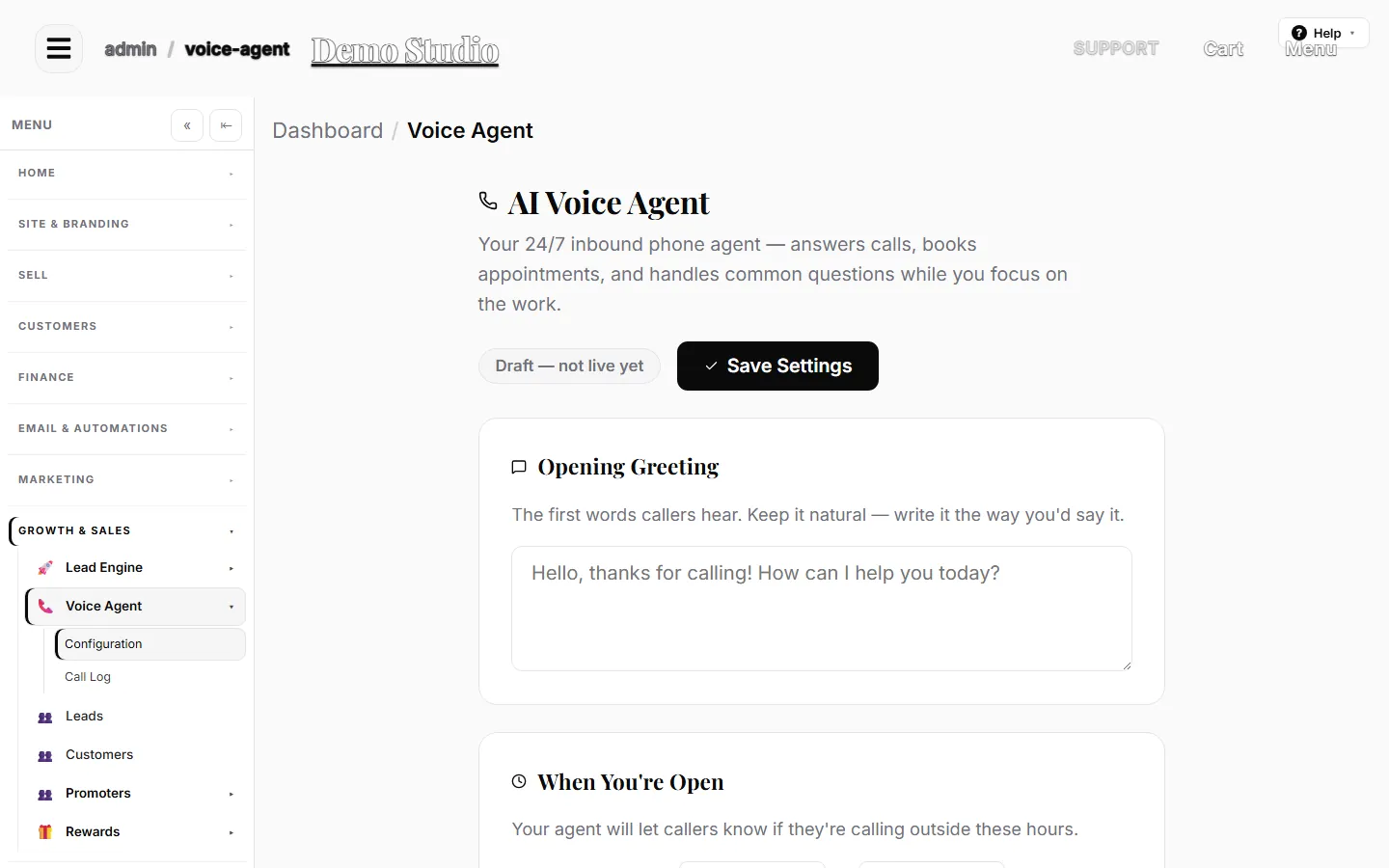
If a phone number has been set up for your agent, it shows at the top of the page as Your agent's phone number.
Use your own voice
Under Agent Voice, click Record / clone a voice and record a sample. Your browser asks for microphone permission. When the clone is ready, choose My cloned voice (from recording below) under Voice, then save.
Go live
- Under Agent Status, choose Live — taking calls.
- Click Save Settings.
- Click Provision / Sync Assistant. Do this every time you change your settings.
| Status | What it means |
|---|---|
| Draft — not live yet | You're still setting it up. Calls aren't answered. |
| Live — taking calls | The agent answers calls. |
| Paused — calls are not answered | The agent is off for now. |
Check the call log
Open Voice Agent → Call Log. Each row shows the Time, From, Duration, Outcome and Booking. Click a row to see the Summary, Recording and Transcript.
| Outcome | What it means |
|---|---|
| Booked | The caller booked an appointment. |
| FAQ answered | The agent answered a question. |
| Message taken | The agent took a message. |
| Transferred | The call was sent to your transfer number. |
| Missed | The call wasn't handled. |
Questions
Can the agent call my customers?
No. It only answers incoming calls.
I changed my settings but the agent still says the old thing.
Click Provision / Sync Assistant after saving. You need to do this whenever you change settings.
Who can see the call log?
Anyone with access to the Voice Agent. It shows caller numbers, recordings and transcripts, so treat it as customer data.