Read your Dashboard
The Dashboard is your command center: last week's numbers, today's activity, bookings that need you, and quick links to your features. Open it first each day.
Where to find it: /admin in your admin.
Open the Dashboard
Click Home → Dashboard, or press Ctrl+D anywhere in the admin. The top says Welcome back with your first name. Click the ? button next to the title for a short tour.
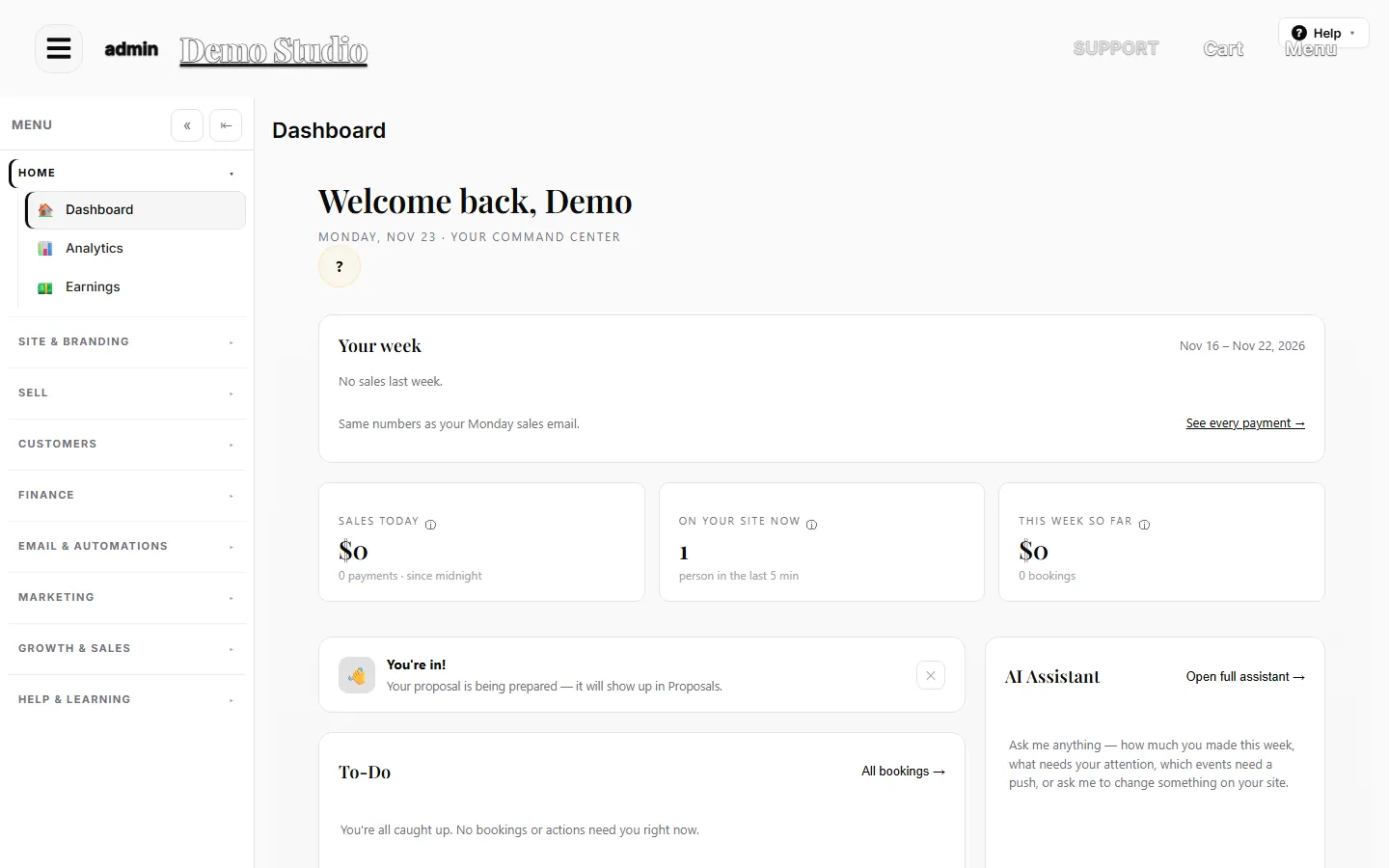
Days and weeks follow your business time zone. Weeks start on Monday.
Your week
The Your week card sums up last week. It shows the same numbers as your Monday sales email.
| Field | What it means |
|---|---|
| Sales | Total sales last week. |
| You keep | What's left for you after fees. |
| Payments | How many payments came in. |
| Didn't finish paying | Customers who started paying but didn't finish. |
| Members | Your paying members. |
| Do this next | A suggested next step. |
Today at a glance
- Sales today: payments since midnight.
- On your site now: people on your site in the last 5 minutes.
- This week so far: bookings this week, compared with last week.
- Hover over a tile to see how it's counted.
The To-Do panel lists bookings under Needs your attention and Upcoming. Click All bookings → to see every booking. When there's nothing to do it says You're all caught up.
Your modules, assistant and tutorials
- Your modules has a tile for each feature you've turned on. Turn more on in Modules.
- AI Assistant lets you ask questions about your business when it's switched on for your site. Click Open full assistant → for the full view.
- Tutorials links to tours. Click Browse all → to see them all, or Help center → to open the Learning Center.
- A setup card may show your proposal status, such as Your proposal is ready. Click × to dismiss it.
Questions
The Dashboard says "Unable to load live data. Showing what we can."
Some numbers couldn't load. Refresh the page in a minute. Last week's figures are also in your Monday sales email.
When does a new day or week start?
At midnight in your business time zone. Weeks start on Monday. You can check or change the time zone in Business Timezone.
Where are detailed reports?
The Dashboard is a summary. Use Analytics for trends and Earnings for every payment and fee.