Set up email and text automations
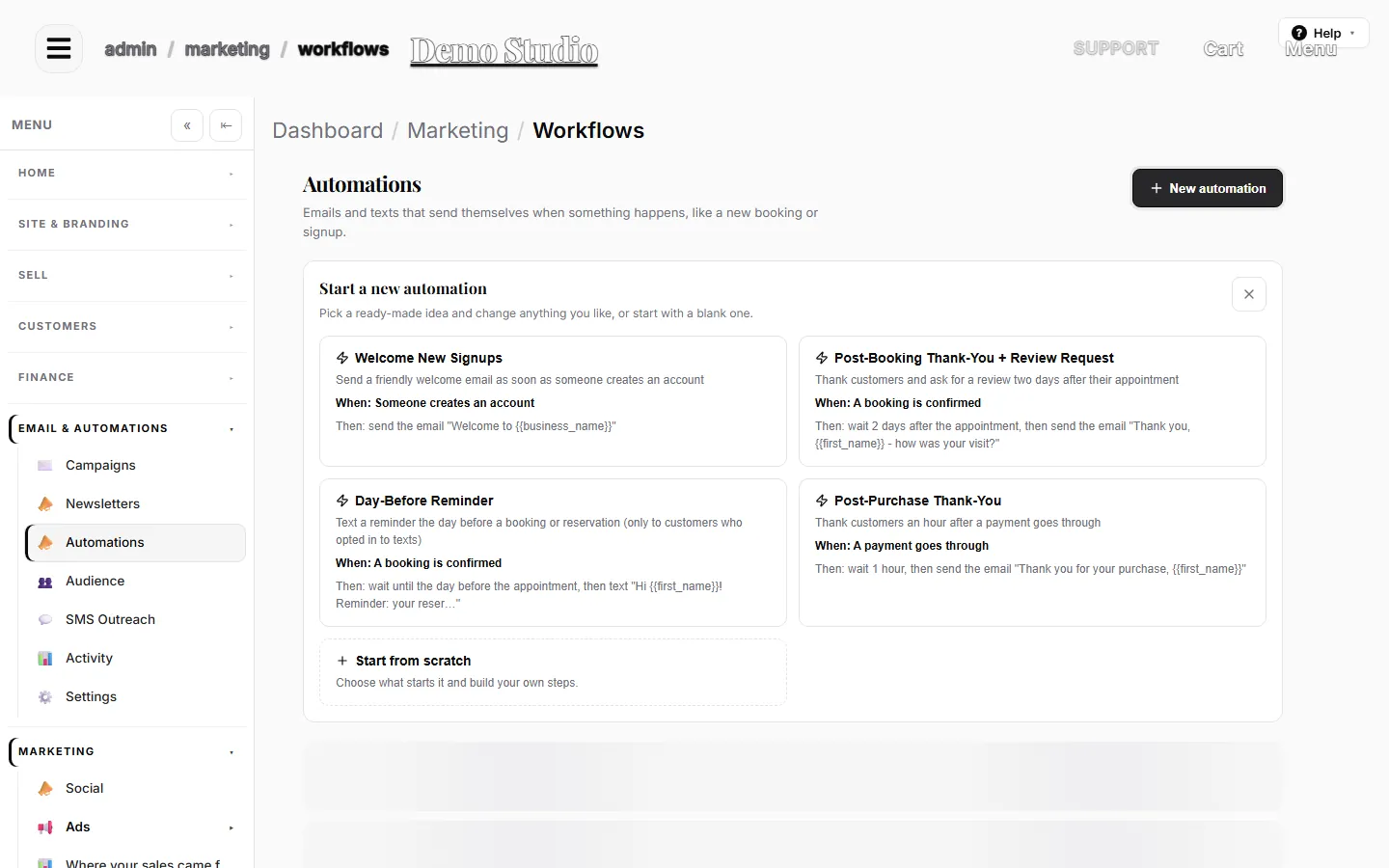
Automations are emails and texts that send themselves when something happens, like a new booking or signup. For example: when someone books, wait a day, then send a thank-you email.
Where to find it: /admin/marketing/workflows in your admin.
Shows up when the Marketing Hub feature is turned on for your site.
Create an automation
- Open Email & Automations → Automations and click New automation.
- Pick a ready-made idea and change anything you like, or click Start from scratch.
- Type a Name, for example Thank-you after a booking.
- Choose what starts it: Someone creates an account, A booking is confirmed or A payment goes through.
- Add steps. They run top to bottom for each person.
- Click Save.
The steps you can add
| Step | What you fill in |
|---|---|
| Send an email | A Subject line and Message. Use Insert: to add First name, Last name, Email, Business name, Site link or Review link. Link to your review page adds your review link. |
| Send a text message | The Text message. Texts only go to people who agreed to get texts. Everyone else is skipped. |
| Wait | Count from and Wait for, in minutes, hours or days. |
Turn it on or pause it
A new automation is saved as a draft. Back on the list, click Turn on to start it. Click Pause to stop it starting for new people.
If an automation can't be turned on yet, the list says "It can't be turned on yet:" and what's missing. Click Open it to fix.
| Status | What it means |
|---|---|
| Draft | Saved but not running. |
| Active | Running. New people who hit the trigger go through it. |
| Paused | Stopped for new people. |
| Archived | No longer in use. |
Check the run history
Open an automation and look at Run history. Each row is one person going through the automation, with when it started, where it is, and any problem.
| Run status | What it means |
|---|---|
| Running | The person is going through the steps. |
| Waiting | The person is on a Wait step. |
| Finished | All steps are done. |
| Failed | A step didn't work. The Problem column says why. |
| Cancelled | The run was stopped. |
Questions
Who gets the text message steps?
Only customers who agreed to get texts and have a phone number. Everyone else is skipped. Replies of STOP are honoured.
How many steps can an automation have?
Up to 30. A text message can be up to 1,600 characters.
Do automation emails include an unsubscribe link?
Yes. They go out as marketing emails, so the unsubscribe link and your mailing address are added, and people who opted out are skipped.