Email settings and sent email activity
Set the sender name, reply-to address and the mailing address that goes in every marketing email, and switch off optional emails you don't want sent. The Activity page shows every email your site sent and who has opted out.
Where to find it: /admin/marketing/email/settings in your admin.
Shows up when the Marketing Hub feature is turned on for your site.
Set who your emails come from
- Open Email & Automations → Settings.
- Under Who your emails come from, fill in Sender name. This is the name people see in their inbox.
- Fill in Reply-to email. When someone hits Reply, their message goes here.
- Fill in Business mailing address. It's shown in the footer next to the unsubscribe link.
- Click Save settings. The summary shows From:, Replies go to: and Footer address:.
Click Send me a test email to see how your emails arrive. It sends one real email to you.
Choose which emails customers get
The What your customers receive card lists the emails your site sends. Switch off any optional email you don't want sent, then click Save settings.
- Always sent means the email can't be switched off. Receipts and security emails are always sent because customers rely on them.
- Only when you send one means the email only goes out when you send it yourself.
Check what was sent
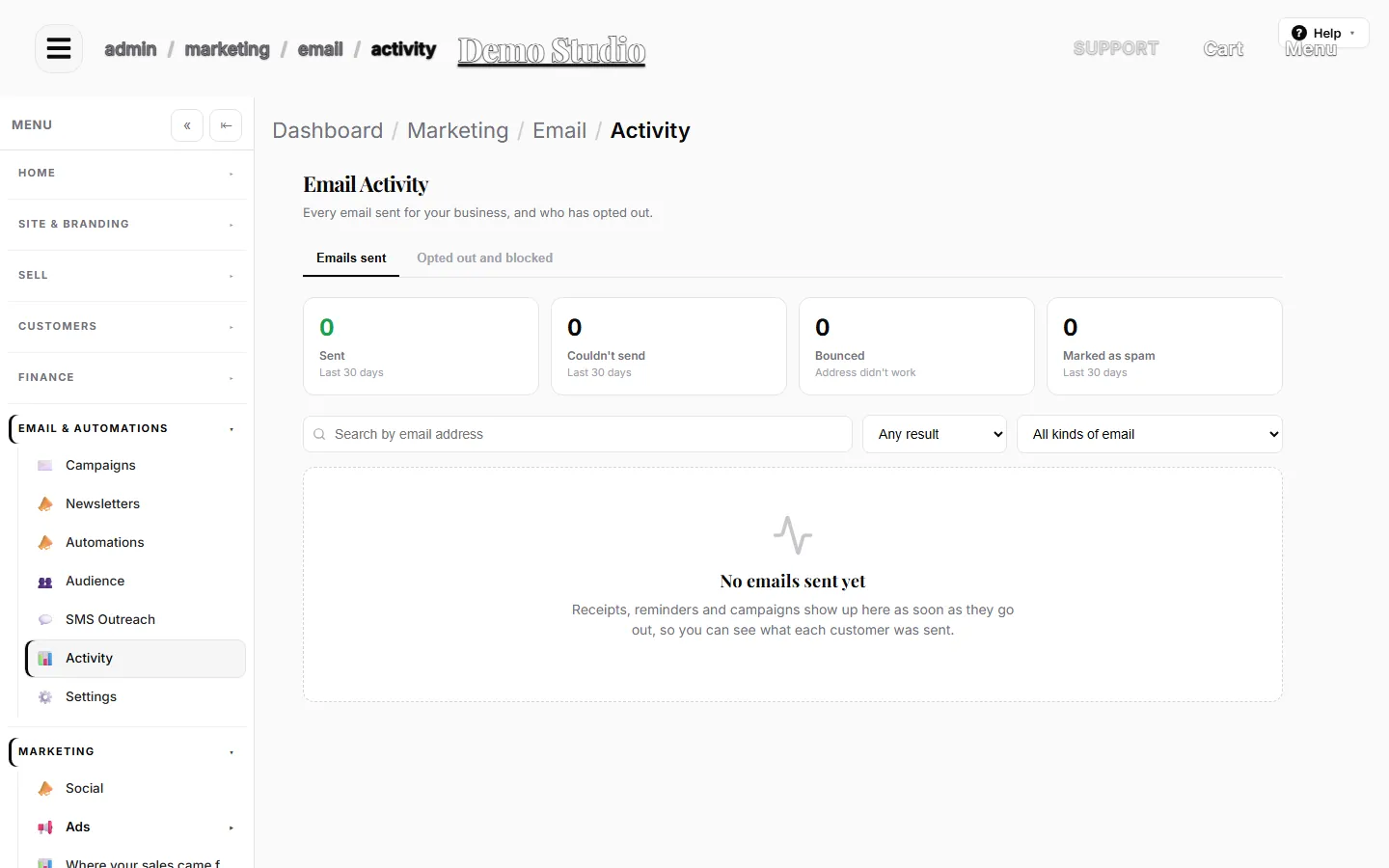
Open Email & Automations → Activity. The Emails sent tab lists every email sent for your business, not just campaigns. The tiles at the top count Sent, Couldn't send, Bounced and Marked as spam for the last 30 days.
- Type an address in Search by email address to check whether a customer got an email.
- Use the result filter and All kinds of email to narrow the list.
- Open the Opted out and blocked tab to see who won't get your marketing emails, and why.
| Result | What it means |
|---|---|
| Sent | The email went out. |
| Couldn't send | The email wasn't sent. |
| Bounced | The address didn't work. |
| Marked as spam | The person marked the email as spam. |
Questions
How does someone end up on the opted-out list?
They're added on their own when they unsubscribe, when their address bounces, or when they mark an email as spam.
Can I remove someone from the opted-out list?
No. The list is read-only.
Can I change the address my emails are sent from?
You can change the Sender name and the Reply-to email here. The sending address itself isn't set on this page.