Learn the admin with tours and guides
The Learning Center and Tutorials pages hold every guided tour and written guide for your admin. Use them to learn a feature by clicking through the real screens.
Where to find it: /admin/help in your admin.
Use the Learning Center
The Learning Center is one searchable page that lists every guided tour and the written guides. Open it from Help & Learning → Learning Center, or click Help at the top right of any page and choose Learning Center.
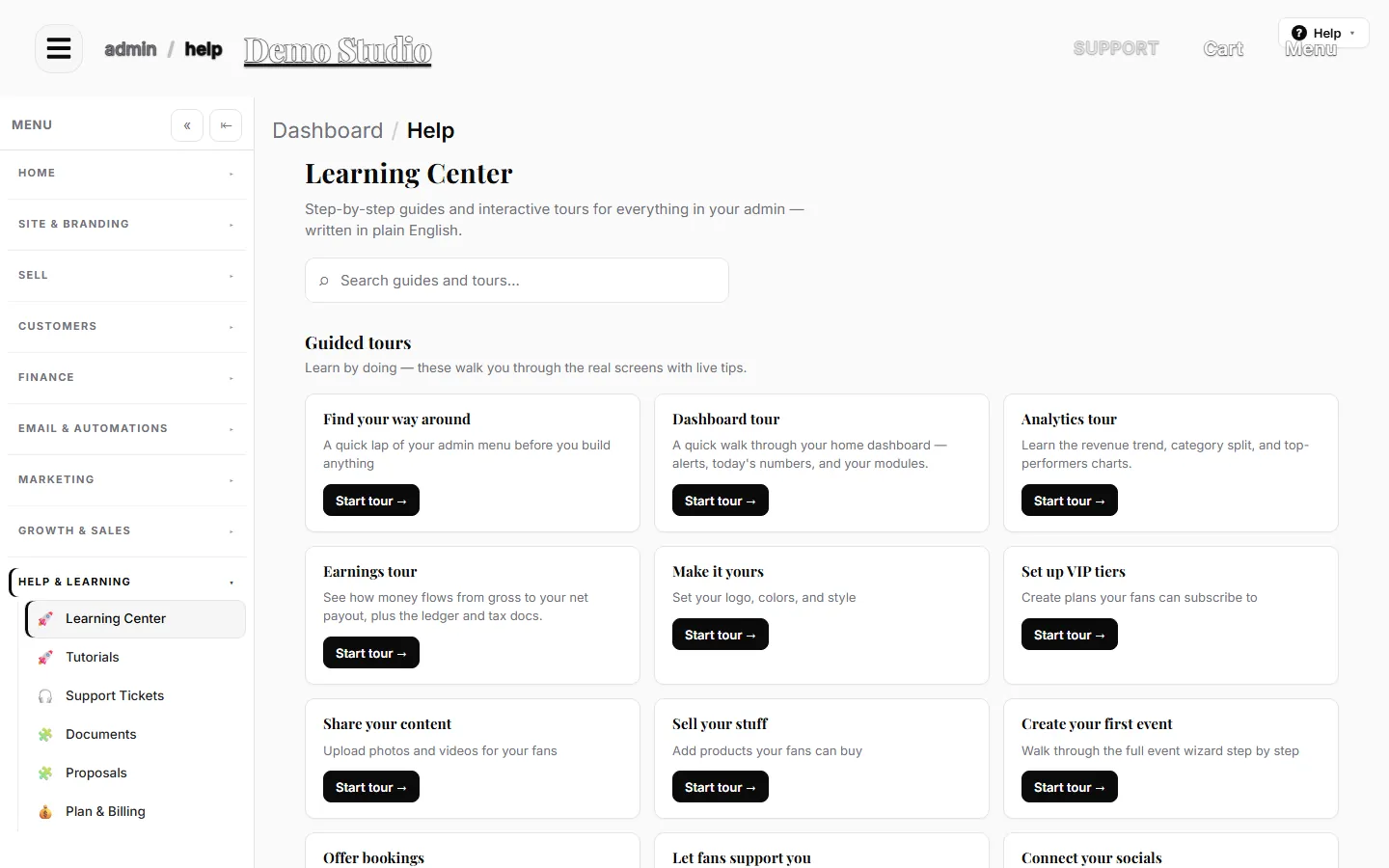
- Type a word in Search guides and tours… to filter the list.
- Under Guided tours, click Start tour → on a card to begin.
- Under Written guides, click a card to read it. Click ← All guides to go back.
Track your progress in Tutorials
Help & Learning → Tutorials groups the tours by feature and shows how far you've got, for example 3 of 12 complete.
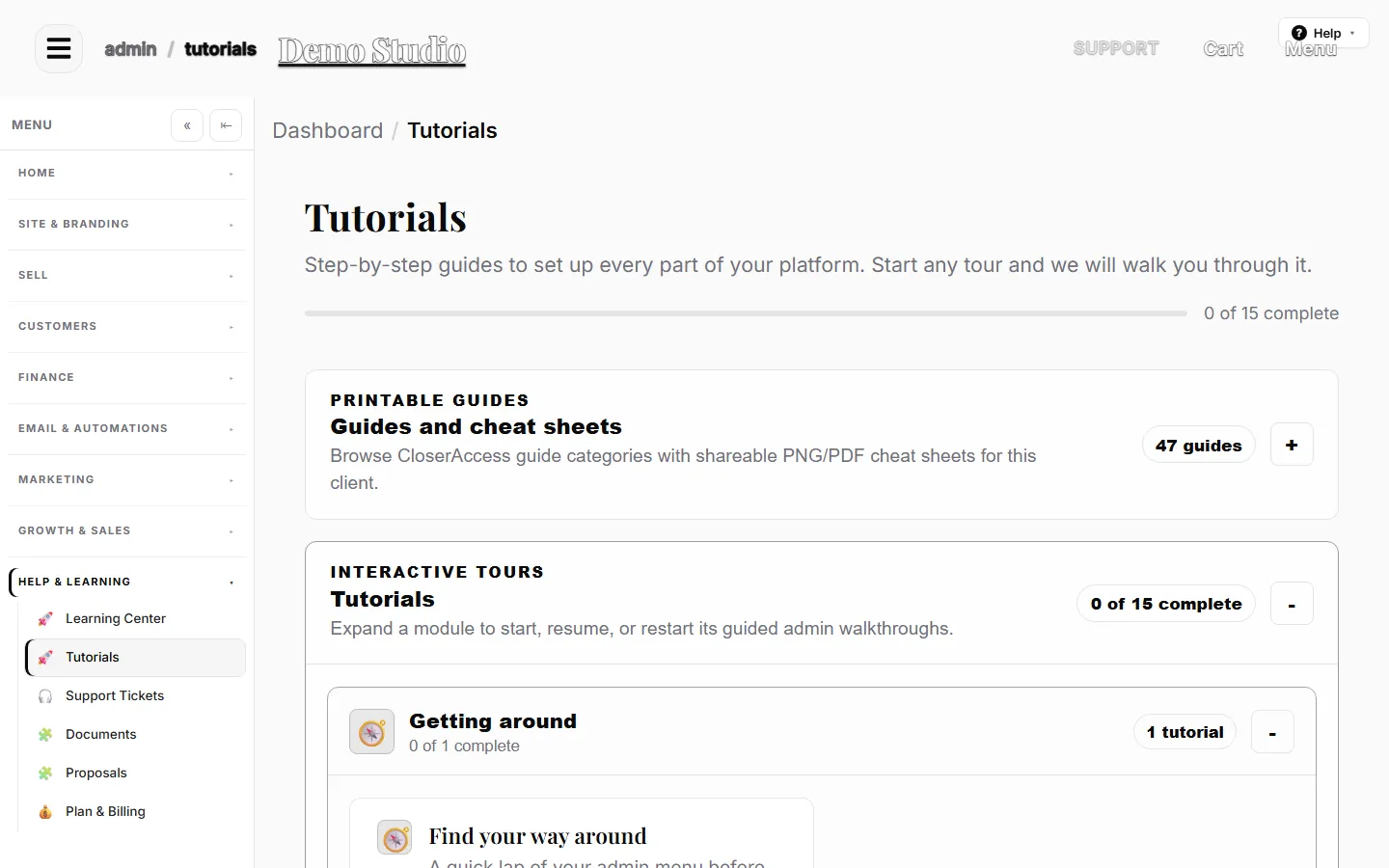
- Open Help & Learning → Tutorials.
- Expand a feature under Interactive tours.
- Click Start tour, or Pick up where I left off if you started before.
- To go through a tour again from the beginning, click Start over or Restart tour.
Open Printable guides for cheat sheets you can print or keep handy. Use Search guides to find one by title or topic.
| Badge | What it means |
|---|---|
| Not started | You haven't opened this tour yet. |
| Step N of M | You started and stopped partway. Pick up where you left off. |
| Complete | You finished the tour. |
Tours you can take
- Find your way around: a walk through the menu. Start here.
- Dashboard tour, Analytics tour, Earnings tour.
- Make it yours: branding your site.
- Set up VIP tiers, Share your content, Sell your stuff.
- Create your first event, Offer bookings, Let fans support you.
- Connect your socials, Create a QR reward, Get paid.
- Meta Ads tour.
Moving through a tour
- Click Next to go on and Back to go back. The last step says Finish.
- Some steps ask you to do something yourself. Do it, then click I did it.
- To stop, click Exit tour or Skip tour, or press Esc. Your progress is saved.
- Some pages also have their own ? button near the title. Click it and choose Take the tour.
Questions
Do tours change anything on my site?
Moving through a tour doesn't change your site. If a step asks you to do something yourself, such as saving a setting, that action is real.
Can staff members see tours?
The Learning Center and Tutorials pages are for owners and admins with full access.
Where are the written guides?
In the Learning Center under Written guides. Right now they cover Meta Ads, such as inviting your marketer and setting up Meta tracking.