Finish setup and your build brief
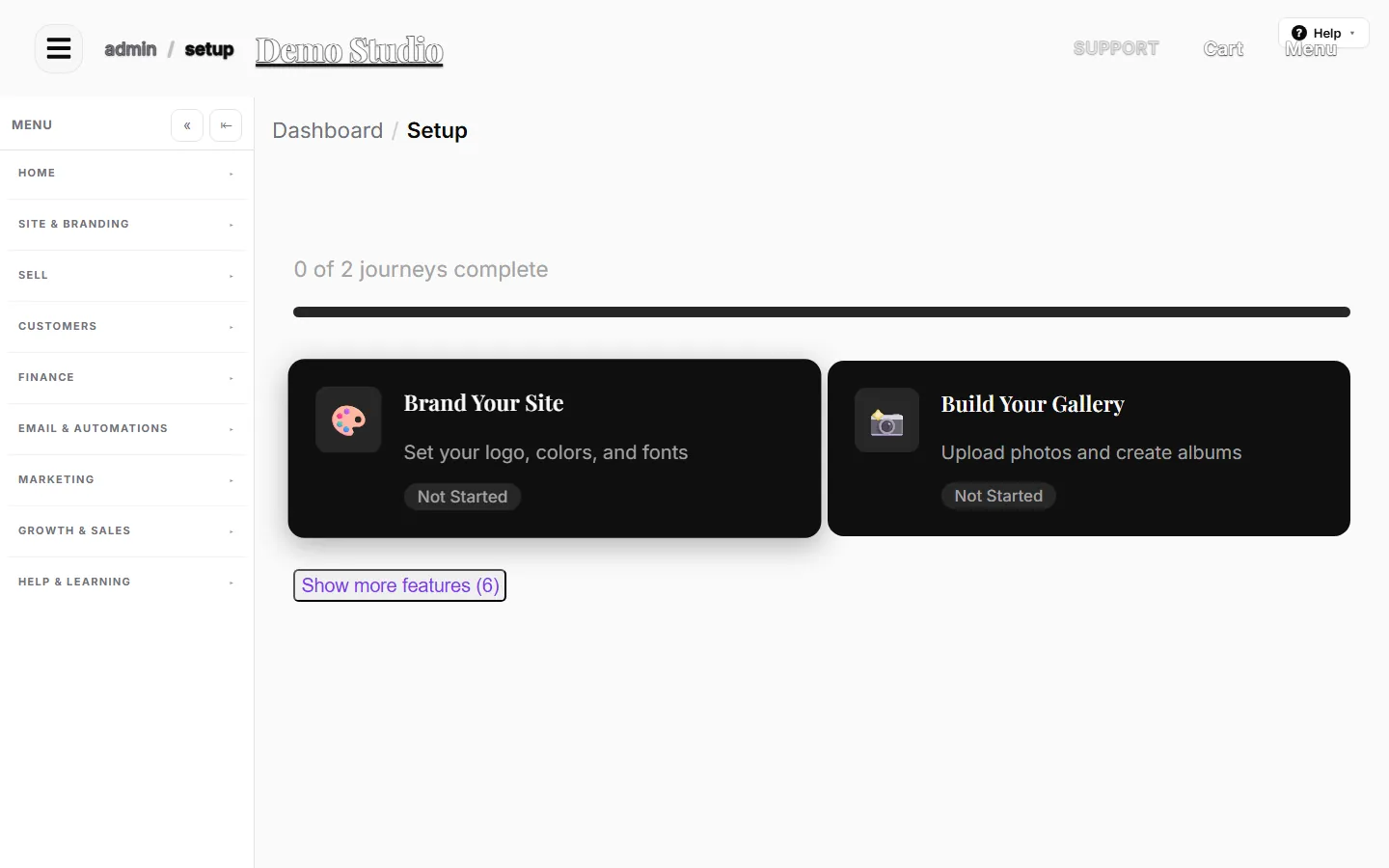
The Setup page is your first-run checklist. New sign-ups use it to fill in the build brief your site is built from; other sites see a list of setup journeys to work through.
Where to find it: /admin/setup in your admin.
Find the Setup page
Open Home → Setup. It only shows in the menu until your setup is complete. While your build brief is still a draft, the menu item reads Build brief instead.
Fill in your build brief
If you signed up on your own, the Setup page opens on Your build brief. Your answers are what your site is built from.
- Click Let's go.
- Answer each step. The top shows Step N of M and the section name.
- Click Save & continue to save that step and move on. Click Back to change an earlier answer.
- On the last step, click Review.
- On Take one last look, click Edit next to any section to change it.
- When everything looks right, click Submit my build brief.
After you submit, you'll see Building your site…. It takes about 10 minutes, and you can close the tab. When it's done the page shows Your site is live. with a link. If it shows We're finishing up, wait for the email.
Work through setup journeys
Otherwise, the page shows Welcome back! with how many journeys you've finished, such as 2 of 6 journeys complete.
- Brand Your Site
- Set Up Memberships
- Build Your Gallery
- Open Your Shop
- Create Events
- Offer Services
- Enable Tips
- Connect Social
Which cards you see first depends on your type of business. Click Show more features to see the rest.
Questions
The Setup item disappeared from my menu.
That means your setup is marked complete. Use the rest of the menu to change anything you set up.
How long does my site take to build after I submit?
About 10 minutes. You'll get an email with the link, so you don't need to keep the page open.