Manage your services list
All Services lists every service you offer, including hidden and switched-off ones, with price, length and booking style. Open a service from here to edit it, set its hours, or switch bookings on and off.
Where to find it: /admin/services in your admin.
Shows up when the Services feature is turned on for your site.
Open your services
- In your admin menu, open Services → All Services.
- Type in Search your services... to find one by title, category, kind or badge.
- Use the status filter to show All services, On (taking bookings), Off or Hidden from your site.
- Click Refresh if you changed something in another tab.
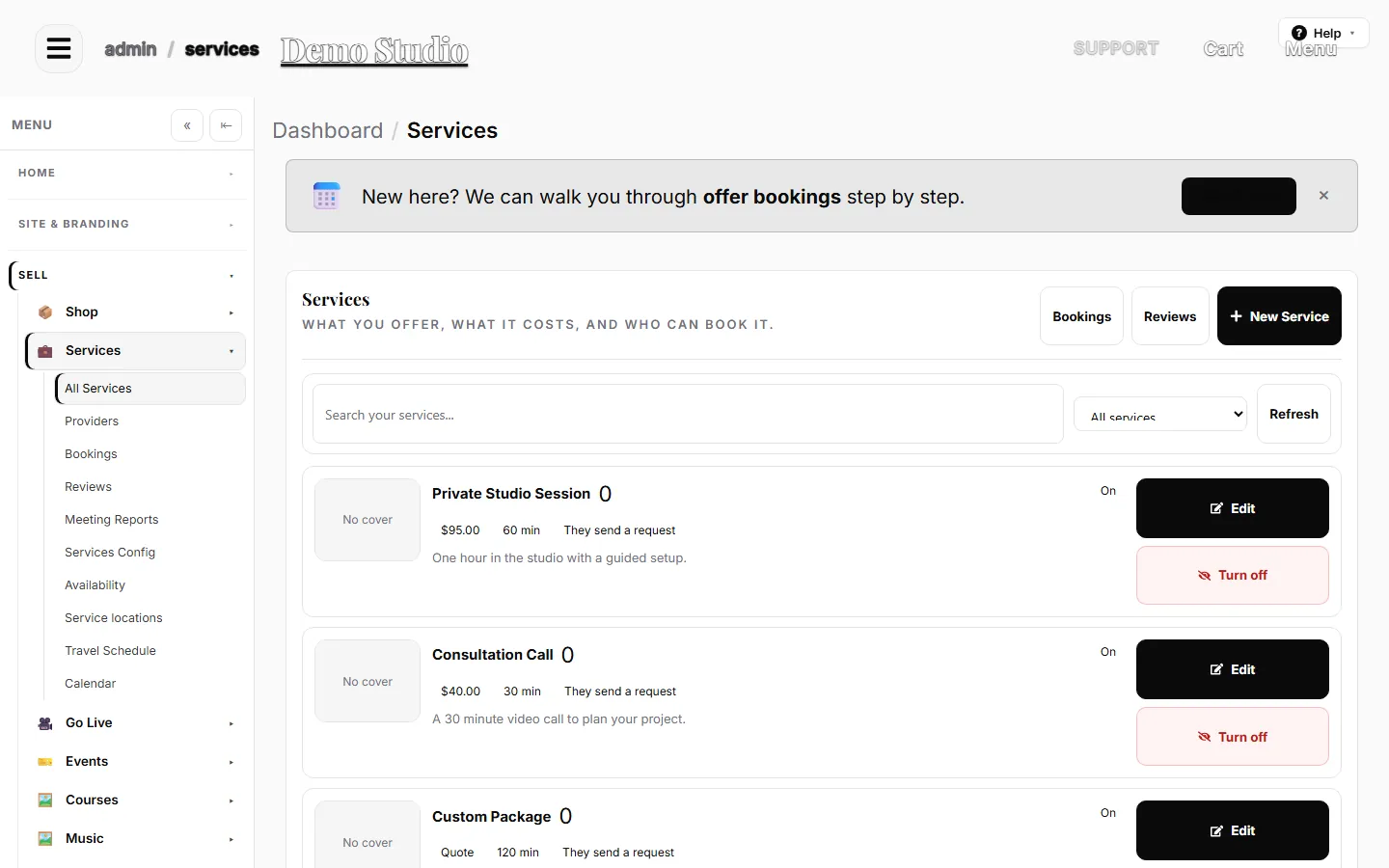
Featured services come first, then services that are on, then the rest by title.
What a service card shows
- The cover image, title, and a Featured badge or your own badge text.
- An On or Off pill, plus Hidden when the service is not on your site.
- The price: a dollar amount, From $X, or Quote.
- The length in minutes, the star rating, and how many team members do it.
- The booking style: No booking, They send a request, Instant unlock or They pick a time.
- A members tag such as Members: Gold+ when only members can book.
| Status | What it means |
|---|---|
| On | Customers can book it. |
| Off | Customers can't book it, and its page shows as not found. |
| Hidden | It stays in your list but is not shown on your site. |
| Featured | It is sorted first and highlighted. |
Turn a service off or on
- Click Turn off on the service card.
- Confirm the prompt. Customers can't book it until you turn it back on.
- To take bookings again, click Turn on. There is no confirmation.
Turning a service off sends nothing to customers and doesn't touch bookings you already have.
Retire a service you no longer offer
There is no delete button. To stop offering a service, do one or both of these:
- Click Turn off so nobody can book it.
- Edit it and set Visibility to Hidden from your site so it disappears from your site.
Questions
Can I delete a service?
No. Services can't be deleted. Turn it off and set it to Hidden from your site instead. It stays in your admin list so your past bookings keep their history.
Can I duplicate a service?
No. There is no copy or duplicate option. Click New Service and set up the new one from scratch.
Does turning a service off cancel existing bookings?
No. It only stops new bookings. Bookings you already have stay as they are.