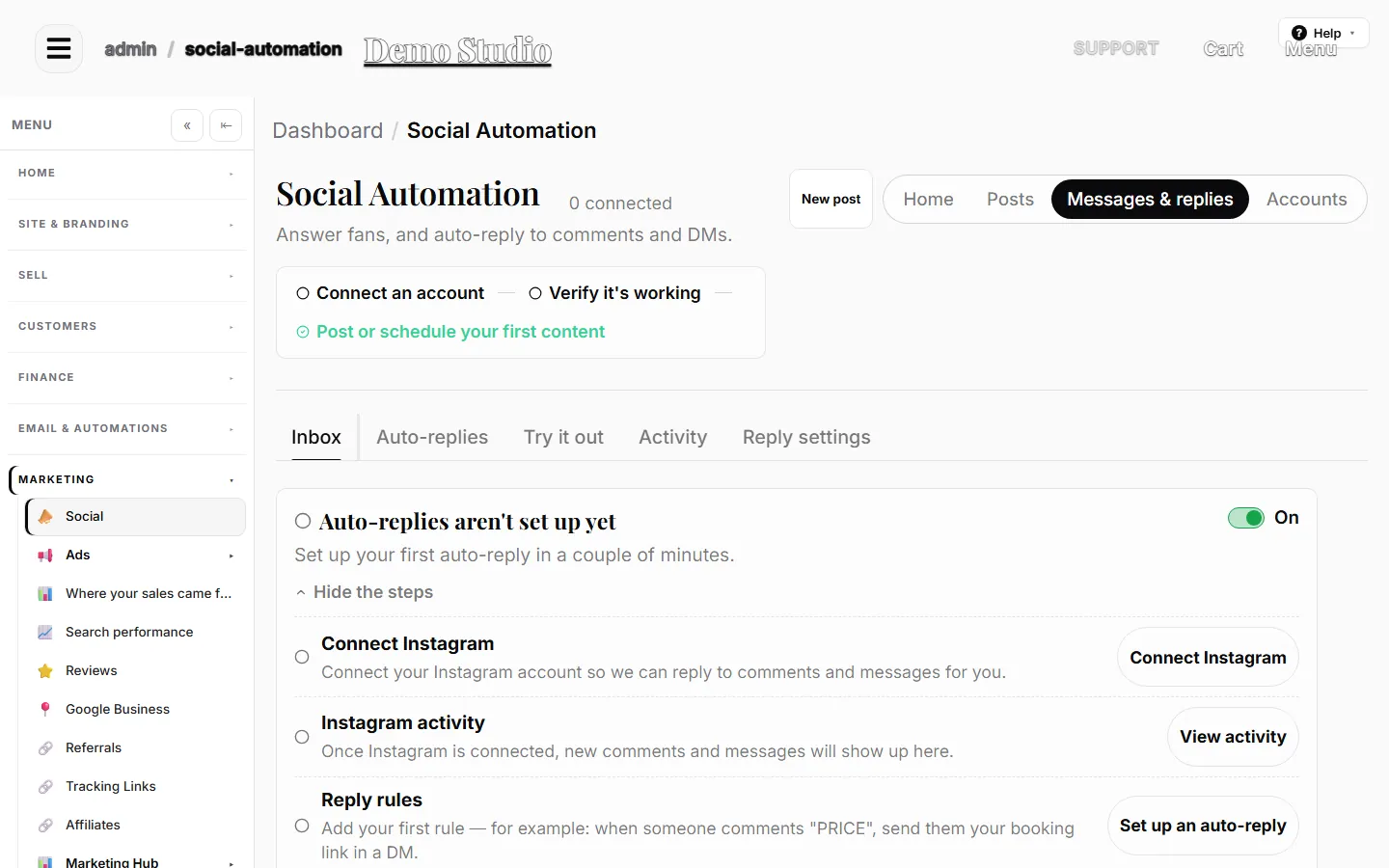
Answer DMs and set up auto-replies
Read and answer Instagram and Facebook comments and DMs in one inbox, and set up auto-replies that answer when someone comments a trigger word or sends a DM. You can test every rule safely before it goes live.
Where to find it: /admin/social-automation in your admin.
Shows up when the Social Automation feature is turned on for your site.
Answer messages in the Inbox
- Open Marketing → Social, choose Messages & replies, then Inbox.
- Filter by channel or by Can reply now, then pick a conversation.
- Type your reply. Optionally paste an image or video link.
- Click Send.
Meta only lets businesses message someone within 24 hours of their last message. When that window is closed, your reply is staged for your approval instead of sent, and it shows up in Needs your OK. Click Backfill history to load older conversations.
Set up an auto-reply
- Open Auto-replies and start a new auto-reply.
- When should we reply? Choose a DM or a comment on any of your posts or reels.
- What should we listen for? Enter a Trigger word, for example PRICES, or reply to everything.
- What do we say? Write the DM. Optionally add a public reply under their comment and a booking link.
- How should replies sound? Choose Standard, which sends your message exactly as written, or AI+, which writes a fresh reply each time using your message as a guide.
- Save & test. The auto-reply is saved but not on yet. Try it, then flip it on.
The Advanced editor gives you more control: match type, a reply for one specific post, tags for new leads, and how long to wait before replying to the same person again.
Try it out safely
Open Try it out, choose It's a DM or It's a comment, and type a message the way a fan would. You see exactly what would be sent, or which rule didn't match and why. Nothing sends from this tab.
Reply settings and activity
- Auto-replies is the main switch. Off means nothing replies automatically, and your rules stay saved.
- AI+ replies turns AI-written replies on or off. Turning it off switches back to your saved messages, exactly as written.
- Practice mode (AI replies don't send) makes AI+ only write drafts in the tester.
- The cooldown stops one fan from getting the same reply over and over in a short window.
- Activity shows what your auto-replies did with each comment or DM, and every comment and message that came in.
Questions
Why was my reply staged instead of sent?
The 24-hour messaging window for that person was closed. That's a Meta rule. Approve the reply in Needs your OK to send it.
Can auto-replies send a private reply to an old comment?
Private replies only work on comments up to 7 days old. A DM follow-up only sends while the 24-hour window is open.
Does Try it out cost anything?
Nothing is sent. The AI+ preview does use AI, which is counted toward your usage.